
Ad change alerts are automated notifications that flag edits to a live campaign, things like budget shifts, paused ads, or new targeting rules, as soon as they happen. The immediate move for any agency is to turn on filtered, severity-tagged alerts and route them to the right person or channel instead of relying on someone noticing a problem in a weekly report. Done right, this means faster detection, less wasted budget, and a clear record of who changed what.
TL;DR:
- Native platform logs like Google Ads change history and API events are primarily useful for post-incident audits rather than real-time detection.
- Monitoring campaign status, budget, and conversion tracking changes first captures the most critical issues affecting performance and spend.
- Setting thresholds, filtering automated changes, and grouping related edits prevent alert fatigue and false positives that cause teams to ignore notifications.
- Using a combination of lightweight status checks and detailed change queries helps manage large account volumes efficiently and in near real time.
- Centralized alerting tools like Gleanit improve response times, accountability, and campaign health management across multiple advertising platforms.
Table of Contents
- How native platform change logs work and their limits
- Which campaign changes to monitor first
- Design rules to avoid alert fatigue and false positives
- Integration patterns for building alerts that scale
- Operational playbook for triaging and resolving alerts
- Why centralized alerts change how agencies operate
- Try Gleanit’s cross-platform alerting before your next client review
- Authoritative docs to consult when implementing alerts
- Sources
- FAQ
How native platform change logs work and their limits
Every major ad platform keeps some record of edits, but the depth and speed vary a lot. Google Ads’ Change history keeps a record of account, campaign, and ad group edits for up to two years, and you can filter by user, date, and change type such as budget or bidding. For programmatic access, the Change Event resource returns the old and new values for a field along with who made the change and whether it came from a person or an API client. Meta and TikTok both maintain activity or change logs of their own, though retention windows and the level of field detail differ from platform to platform, and TikTok’s Business API changelog shows campaign and ad management endpoints expanding over time.
The catch is that all of these logs are built for looking backward, not for catching a problem the moment it happens.
- Change history in the Google Ads UI is searchable and detailed but requires someone to go look for it.
- ChangeEvent gives field-level detail but only within a bounded date window you query.
- Meta and TikTok logs are useful for confirmation, less so for speed.
Agencies that depend only on native logs tend to find out about a budget cut or a paused campaign hours or days after it happened, usually when a client asks why performance dropped.
Which campaign changes to monitor first
Not every edit deserves the same attention. A prioritized list keeps the alert volume manageable while covering the changes that actually move performance or spend.
- Campaign or ad status changes (paused, enabled, removed) because a single accidental pause can zero out delivery for days.
- Budget changes, since a jump or cut of even a modest percentage can blow through a monthly cap or starve a campaign of spend.
- Bid strategy updates, which can quietly shift a campaign from target ROAS to maximize clicks overnight.
- Creative or asset edits, including swapped images or headlines that change how a client’s message reads.
- Targeting and audience changes, which can widen or narrow reach far outside the original plan.
- Landing page or destination URL edits, since a broken or wrong link wastes every click that follows.
- Conversion tracking edits, because a disabled or misconfigured tag can hide real performance for weeks.
- Feed updates, for shopping or dynamic campaigns where a bad feed push can pull products out of rotation entirely.
A reasonable starting set for most client accounts covers status, budget, and conversion tracking alerts first, then layers in bid strategy and targeting once the basics are stable.
Design rules to avoid alert fatigue and false positives
An alert system that fires on every edit gets ignored within a week. The goal is a feed that people actually read.
- Separate user-made changes from system or API changes, and whitelist trusted automated rules so they do not trigger the same alarm as a manual edit.
- Set percent thresholds for numeric fields, such as flagging budget moves above roughly 15%, so small routine adjustments do not clutter the feed.
- Group and deduplicate bursts of related edits (a bulk keyword update, for example) into one incident instead of a dozen separate pings.
- Route by severity and role: a paused campaign goes to an ops Slack channel immediately, a minor bid tweak goes to a daily digest, and everything lands in an audit log regardless.
- Always include context: who made the change, when, the old and new value, and a direct link to the platform view so the person responding does not have to hunt for it.
Pro Tip: *Build your severity tiers around dollar impact, not just field type.
Integration patterns for building alerts that scale
There are a few technical routes to building alerts, and the right one depends on account volume and how fast you need to know. Google Ads’ ChangeStatus resource lists which resources changed over a time window and exposes a last_change_date_time field for freshness checks, but it returns only the latest change per resource in that window, not a full field-level diff. For that level of detail you need ChangeEvent queries, which return old and new resource values for update and create operations.
- Use ChangeStatus as a lightweight “did anything change” check across a large number of accounts, then follow up with a targeted ChangeEvent or resource fetch for the ones that did.
- Use ChangeEvent directly when you need field-level detail on a smaller set of high-priority accounts.
- Use snapshot diffing, storing periodic pulls of campaign settings and comparing them field by field, for platforms without a granular event feed.
- Watch date-window and result limits on both resources, and request current values separately after a ChangeStatus hit if you need to see what a field looks like now.
Google Ads’ Change history retains up to two years of records, filterable by user, campaign, and change type, which makes it a solid backbone for long-term audits even when near-real-time detection runs through the API. (Google Ads Help) Most agencies land on a near-real-time check for high-priority accounts and short batch pulls, hourly or a few times a day, for the rest, storing every result for later review.
Operational playbook for triaging and resolving alerts
An alert is only useful if someone knows what to do with it. A short, repeatable process keeps response times consistent across a team.
- Verify the alert against the platform’s own change log or the Change history view to rule out a false positive.
- Confirm intent: was this a scheduled client request, an automated rule, or an unplanned edit?
- Estimate impact, checking recent spend and performance against the affected campaign.
- Choose remediation, either rolling back the change or adjusting the new setting to fit the account’s goals.
- Log the incident with a short summary, the rollback steps taken, and who was notified, for later review.
A working runbook template needs an alert summary, verification steps, rollback commands, a communication checklist, and a spot for postmortem notes. Track time-to-detect, time-to-resolve, false-positive rate, and the number of budget incidents caught before they became a client complaint. Keeping alert history and snapshots on file turns every incident into a quick root-cause lookup instead of a guessing game the next time something similar happens.
Why centralized alerts change how agencies operate
Most agencies patch together spreadsheets, native dashboards, and a few Slack bots to watch client accounts, and the gaps show up as missed budget cuts or unnoticed targeting drift, so using tools like Maprank — Google Maps Rank Tracking for Agencies supports the broader argument about centralized monitoring and agency-focused SaaS integrations. Centralizing monitoring across Meta, TikTok, and Google into one connected view, paired with prioritized fixes ranked by likely ROI impact, cuts the time between an edit happening and someone acting on it. The platform provides monitoring features and utilizes AI to help turn raw change data into client-ready reports, supporting accountability and quicker responses to campaign changes.
— Ovannes
Try Gleanit’s cross-platform alerting before your next client review
Everything in this guide, status changes, budget thresholds, severity routing, is the kind of monitoring Gleanit builds for agencies as a core feature rather than a workaround. It watches campaigns across Meta, TikTok, and Google in one workspace, ranks fixes by likely ROI impact, and uses AI to turn changes into reports a client can actually read, all inside connected, client-dedicated workspaces built for agency handoffs.
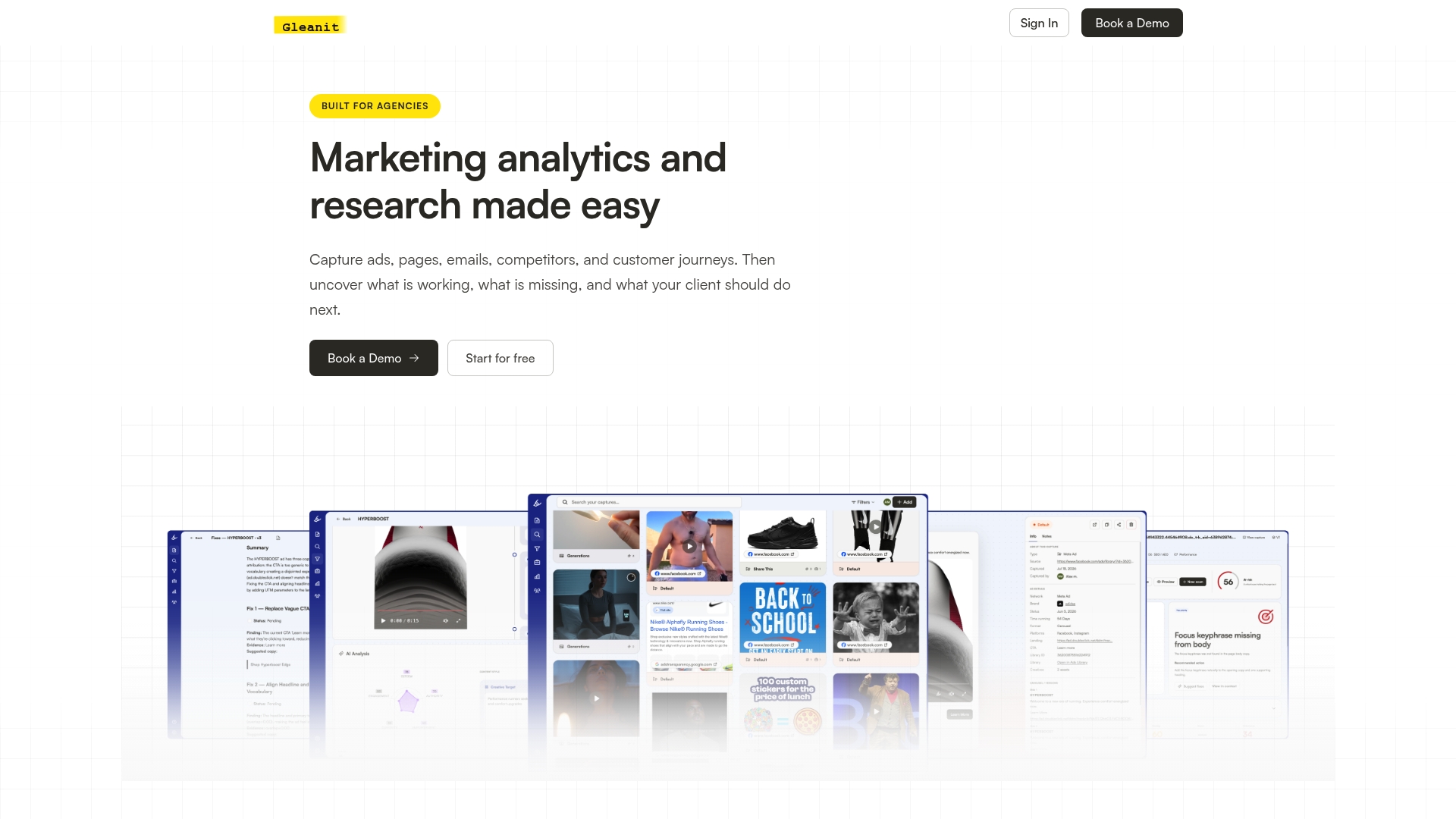
If you want to see what this looks like on a real account, start with a free ad audit to get a snapshot of what is happening in a client’s campaigns right now. For teams ready to move past manual checks entirely, the Solo and Agency plans outline pricing and seat structure for agencies of different sizes.
Authoritative docs to consult when implementing alerts

Before picking a cadence, check the ChangeEvent and get-change-details samples for Google Ads, the TikTok Business API changelog, and each platform’s rate limits and retention windows.
Sources
FAQ
What are ad change alerts and why do agencies need them?
Ad change alerts are automated notifications that flag edits to a live ad campaign, such as a budget change, a paused ad, or a new targeting setting. Agencies use them to catch unplanned or harmful edits before they drain budget or break a client’s campaign, rather than finding out during a weekly report.
How long does Google Ads keep change history?
Google Ads’ Change history keeps a record of account, campaign, and ad group edits for up to two years, filterable by user, campaign, and change type. This makes it a reliable source for audits even though it is not built for real-time alerting.
What is the difference between ChangeEvent and ChangeStatus?
ChangeStatus lists which resources changed in a time window and when, but only the latest change per resource. ChangeEvent goes further, returning the actual old and new field values along with who made the change.
How do I stop ad change alerts from becoming noise?
Filter alerts by whether a human or an automated system made the change, set percent thresholds for numeric fields like budget, and group bursts of related edits into a single incident. Routing by severity, so a paused campaign reaches ops immediately while minor tweaks land in a digest, keeps the feed usable.
Can Gleanit monitor ad changes across multiple platforms at once?
Gleanit monitors campaigns across Meta, TikTok, and Google from one connected workspace and prioritizes fixes by likely ROI impact. Agencies can test this on a real account with a free ad audit before committing to a plan.
Recommended
- Monitor Meta Ads in 10 Minutes: 2026 Automation First Workflow for Agencies
- Agencies: Facebook Ads Benchmarks 2026, Medians, Percentiles, 7 Day Tests
- Monitor Google Ads: A Practical Checklist for Marketers
- Google Ads Benchmarks 2026: CTR, CPC, CVR by Industry
Corrections: ovannes@hearye.co or our editorial policy.