
A swipe file is a curated library of proven ads saved for creative inspiration, and it only earns its keep when every entry carries context. Start one now: capture a single ad and log three fields, platform, mechanism, and why you saved it. Do that once, and you already have something usable for your next brief.
TL;DR:
- Prioritize ad sources with proven performance signals, such as long run times, multiple variations, and visible engagement, rather than random or one-off ads.
- Capture ads quickly by screenshot or saving files, tagging platform, funnel stage, mechanism, and reasons within two minutes to maintain consistency and usefulness.
- Use structured tags across format, funnel stage, mechanism, angle, industry, and CTA to ensure efficient retrieval and organization of the swipe file.
- Convert saved ads into reusable briefs by abstracting their mechanism, stripping down to core structure, and adapting to your product with fresh visuals and numbers.
- Automate capture and management processes with dedicated tools like Gleanit for larger teams to save time, improve scalability, and maintain disciplined organization.
Table of Contents
- How Do You Build an Ad Swipe File From Scratch?
- What Is the Fastest Way to Capture an Ad for Your Swipe File?
- How Should You Tag and Organize Your Ad Swipes?
- How Do You Turn a Saved Ad Into an Original Brief?
- Should You Use Notion, Airtable, or a Dedicated Swipe App?
- How Do Agencies Use Gleanit to Automate Swipe File Capture?
- The Habits That Keep a Swipe File From Becoming Dead Weight
- Start Building Your Swipe File Inside Gleanit
- Sources
- FAQ
How Do You Build an Ad Swipe File From Scratch?
Sourcing determines quality more than anything else. Grab ads with no track record and you build a mood board of pretty screenshots. Grab ads that show real performance signals, and you build a library of mechanisms that actually convert.
Start with these sources, in order of reliability:
- Meta Ad Library: shows run time and creative variations for any advertiser, a direct signal that an ad is still earning its budget.
- TikTok Creative Center: surfaces trending formats and top ads by region and industry.
- Google Ads Transparency Center: reveals search and display creative you cannot see through normal browsing.
- LinkedIn Ad Library: thin on volume but useful for B2B hooks and account-based angles.
- Your own account winners: the highest-signal source of all, since you already know the results.
Prioritize ads with long run times, multiple active variations, and visible engagement, exactly the pattern Adkumo recommends when separating proven creative from lucky one-offs. A winning ad with a weak landing page still fails, so save the landing page alongside the creative every time, not just the hook.
What Is the Fastest Way to Capture an Ad for Your Swipe File?
Speed is the entire game here. If capture takes more than two minutes, you will stop doing it by week three. Build a routine you can run from your phone in a waiting room.
- Save the asset. Screenshot the ad or save the raw video/image file rather than just bookmarking a link that might disappear.
- Tag three required fields. Platform, funnel stage, and mechanism, no exceptions.
- Write one line on why you saved it. “Scarcity hook plus social proof stat in the first three seconds” takes ten seconds to type and saves you from re-watching the ad six months later.
- Link the landing page. Copy the URL before the ad disappears from rotation.
- Note the observed run time and date. A quick glance at the Meta Ad Library’s “started running on” date is enough.
Every field beyond the creative itself is what separates a real reference from clutter, a point ConversionStudio makes repeatedly: entries without context become unusable within weeks.
Pro Tip: Keep a browser extension pinned for one-click screenshots (most ad blockers won’t interfere with the Ad Library), and use your phone’s native screen recording for TikTok ads before the sound gets muted on replay.
How Should You Tag and Organize Your Ad Swipes?
Retrieval is the whole point. An untagged folder of 300 screenshots is not a swipe file, it is a junk drawer. Tag at the moment of capture, never later, because “I’ll organize it this weekend” almost never happens.
Six tag axes cover nearly every use case:
- Format: static, video, carousel, UGC-style
- Funnel stage: cold, retargeting, cart abandon, post-purchase
- Mechanism: the persuasion device (scarcity, social proof, before/after, pattern interrupt)
- Angle: the specific claim or promise (price, speed, status, fear of missing out)
- Industry: SaaS, ecommerce, local service, and so on
- CTA mechanics: button copy, urgency language, offer structure
A minimal entry needs three tags plus a one-line reason. A row might read: Format: Video | Mechanism: Curiosity gap headline | Angle: “Everyone’s doing X wrong” | Reason: hook stopped scroll in first 2 seconds, want to test this pattern for Q2 launch.
Solo marketers can run this in a single Notion database. Agencies should split by client workspace so entries stay attributed to the account they were sourced for, and so nobody accidentally briefs a competitor’s mechanism into the wrong campaign.
How Do You Turn a Saved Ad Into an Original Brief?
Copying an ad word for word is lazy and it usually fails anyway, because the audience, offer, and brand voice never match. What transfers is the mechanism underneath the words, and ConversionStudio’s extraction method breaks that into three moves.
- Identify the skeleton. Strip the ad down to its structural bones. A headline like “I lost 20 pounds without giving up pizza” reduces to: [specific result] without [expected sacrifice].
- Abstract it into a formula. [Specific result] without [expected sacrifice] becomes a reusable template you can apply to any product.
- Apply it to your product. For a project management tool: “Hit every deadline without another status meeting.”
Run a quick originality check before it goes to a designer:
- Swap every brand-specific detail, no reused product names or claims.
- Change the visual treatment so it does not read as a copy.
- Adjust numbers and specifics to match your actual offer, not the source ad’s.
One well-tagged reference rarely tells a creative enough. Pull two or three entries sharing a mechanism, the monthly pattern review Adkumo describes recommends surfacing 2 to 3 recurring mechanisms worth testing each month, and hand those to your creative team as a mini-brief instead of a single inspiration image.
Should You Use Notion, Airtable, or a Dedicated Swipe App?
The right tool depends on volume and team size, not preference. A lightweight database works fine until you outgrow it, and most teams outgrow it faster than they expect.
- Notion: fast to set up, flexible tagging, weak at bulk filtering once you pass a couple hundred entries.
- Airtable: better filtering and views, supports linked records between clients and mechanisms, still manual capture.
- Google Drive folders: zero setup cost, almost no structure, fine only for a solo freelancer with under 50 entries.
- Dedicated swipe apps and browser extensions: automate the capture step itself and enforce tagging before you can save, which matters once volume climbs.
A minimal Airtable row you can copy verbatim: Client | Platform | Format | Funnel Stage | Mechanism | Angle | Date Captured | Landing Page URL | Why Saved.
| Signal | Lightweight tool (Notion/Airtable/Drive) | Dedicated swipe app |
|---|---|---|
| Setup time | Minutes | Longer onboarding |
| Capture speed | Manual, screenshot then paste | Often one click |
| Best for | Solo marketers, small teams | Agencies managing multiple client accounts |
| Upgrade trigger | Under 200 entries, one or two users | Multiple team members, high weekly ad volume |
Dedicated tools pay off once team scale or ad volume makes manual tagging a bottleneck, not before.
How Do Agencies Use Gleanit to Automate Swipe File Capture?
Agencies managing several client accounts run into the same wall: manual capture does not scale past two or three clients. Certain platforms offer automation for monitoring ads across multiple channels, which can turn the capture step from a manual chore into a background process.
- Ads get tracked automatically instead of requiring someone to check the Ad Library weekly.
- Entries route into client-dedicated workspaces, so mechanisms stay attributed to the right account.
- Some tools offer AI-powered reporting to help prioritize which captured mechanisms are worth testing first based on funnel gaps.
…
The Habits That Keep a Swipe File From Becoming Dead Weight
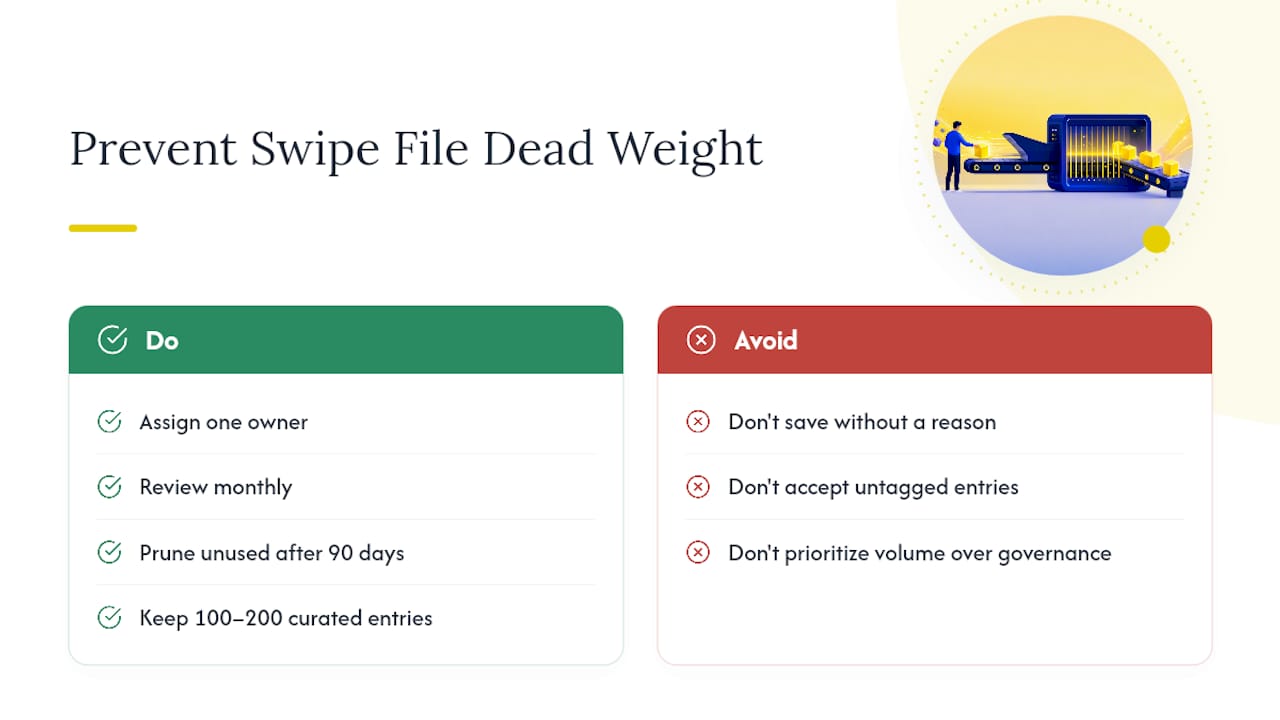
Governance matters more than volume. Assign one person to own tagging standards, review the file monthly, and prune anything nobody has used in 90 days. Aim for 100 to 200 curated entries, not a thousand. A bigger archive without discipline just means more noise to scroll through when you’re actually trying to brief a creative.
The most common failure isn’t under saving, it’s saving without a reason attached. An entry with no tags and no rationale becomes unrecoverable within a month, which means the time spent capturing it was wasted. Fix it by refusing to save anything without the three required fields, no exceptions, even under deadline pressure.
— Ovannes
Start Building Your Swipe File Inside Gleanit
Some platforms provide agencies with productivity tools supporting workflows like automated ad monitoring across Meta, TikTok, and Google, funnel gap diagnostics that flag where a client’s campaign may be leaking conversions, and AI report generation that turns captured mechanisms into prioritized recommendations.
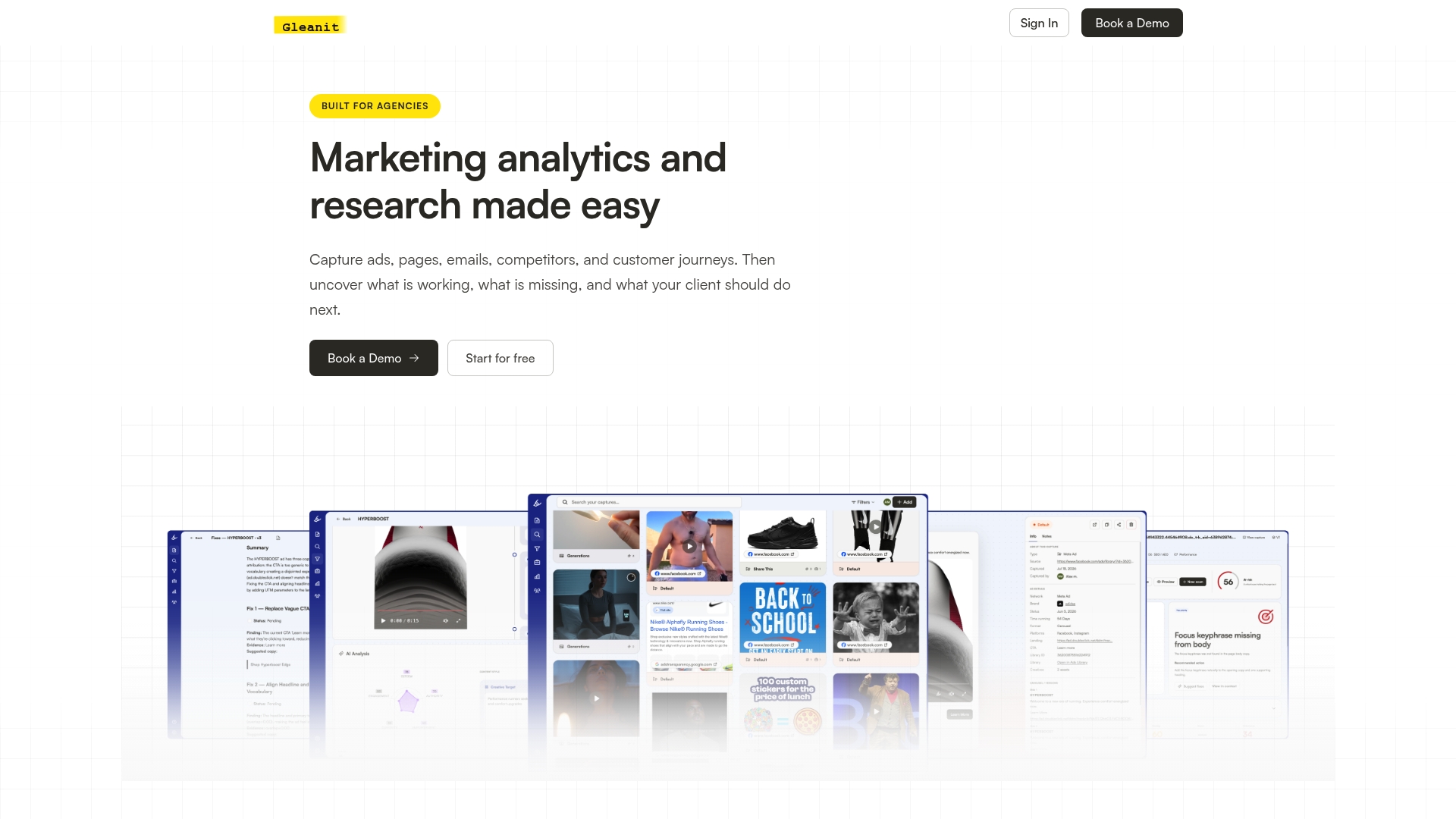
Rather than manually checking ad libraries weekly and organizing screenshots in databases, some solutions route captured entries directly into client workspaces, tagged and ready for use. If you’re running swipe files for more than one client account, that difference adds up fast in hours saved. Start a free trial with Gleanit and see how automated capture compares to your current routine.
Sources
FAQ
How Many Ads Should Be in a Swipe File?
Aim for 100 to 200 well-tagged entries rather than a massive archive; a smaller, curated library is easier to search and actually gets used during briefing.
What Metadata Should Every Swipe File Entry Include?
At minimum, tag platform, funnel stage, and mechanism, then add a one-line note on why you saved it and the landing page link.
Is It Legal to Save Competitor Ads for Inspiration?
Saving publicly visible ads for research and inspiration is standard industry practice, but copying copy or creative assets directly risks copyright and trademark issues, so always extract the mechanism rather than the exact execution.
Can Gleanit Replace a Manual Swipe File?
Gleanit automates the ad monitoring and capture side of the workflow across Meta, TikTok, Google, and LinkedIn, routing findings into client workspaces so agencies spend less time on manual screenshotting and more time briefing.
How Often Should a Team Review Its Swipe File?
A monthly review works well for most teams, surfacing two or three recurring mechanisms worth testing rather than letting entries sit unused.
Recommended
- Google Ads Competitor Research: A Practical Workflow for Marketers
- Monitor Google Ads: A Practical Checklist for Marketers
- Google Ads Transparency Guide for Marketers: Workflow & Tricks
- A Creative Testing Framework That Actually Scales Ad Results
Corrections: ovannes@hearye.co or our editorial policy.