
A reliable client reporting workflow pairs an automated data layer with a human-verified narrative that leads with outcome and ends with two owned decisions. It suits agencies and consultants juggling multiple accounts who need consistency without losing accuracy. The fastest way to test it: pick one client, run this cycle once, and compare it against your current process before rolling it out further.
TL;DR:
- Successful automation depends on defining KPIs with clear owners and sources before building templates, ensuring consistency and reducing rebuild time.
- Reporting must focus on decision-driven insights, including outcome, driver, diagnosis, decision, and evidence, to be truly actionable for clients.
- Pilot projects should last two to four weeks with parallel manual reporting, allowing normalization issues and discrepancies to surface before full deployment.
- Verification and governance of data inputs and outputs are critical, especially to prevent unverified causal claims from reaching clients and to safeguard sensitive information.
- Automating the narrative and causal analysis requires human review to maintain accuracy, trust, and meaningful client decisions.
Table of Contents
- Why treating reports as a product beats another dashboard
- Six-step repeatable client reporting workflow to copy
- Data governance and validation: making automation reliable
- Templates, delivery modes, and cadence that fit the client
- Operational rollout: pilot, parallel runs, and handoffs
- When to automate commentary and when to require human review
- Gleanit worked example: mapping the workflow to a unified platform
- How long it takes to stand up a client reporting workflow
- What a client reporting workflow costs to build and maintain
- Questions to ask before choosing a reporting tool or provider
- Where client reporting workflows tend to break
- Security and confidentiality in the reporting pipeline
- Author perspective: where reporting ops are headed
- Try Gleanit for your next reporting pilot
- Sources
- FAQ
Why treating reports as a product beats another dashboard
Agencies confuse two different things constantly: dashboards and reports. A dashboard is a live surface for exploration. A report is a finished argument built to answer a specific question a client already has in their head: is this working, and what happens next. When teams skip that distinction, they hand clients a screenshot of numbers and call it communication.
Reporting does three jobs, and most templates only do the first one.
- Record: capture what happened across channels in a consistent format.
- Measure: translate raw numbers into the handful of KPIs that matter to this specific account.
- Decide: turn the measurement into a recommendation the client can approve or reject.
Skip the third job and you get a report that’s technically accurate and practically useless. Clients don’t churn because a number was off by a few percentage points. They churn because nobody told them what to do about it, or because the story changed every month depending on who built the slide deck. Poor reporting also quietly drains hours: an account manager rebuilding the same chart from scratch, an analyst reconciling two platforms that disagree, a strategist writing commentary from memory instead of evidence.
The Client Reporting in 2026: The Agency Framework argues that a report only survives scrutiny when it includes outcome, driver, diagnosis, decision, and evidence in that order. Everything else, the charts, the branding, the executive summary styling, is packaging around those five layers. Get the layers right and the packaging becomes a template problem, not a strategy problem.
Six-step repeatable client reporting workflow to copy
This sequence works because each step depends on the one before it. Skipping ahead to “build a template” before you’ve defined KPIs is the most common way agencies end up rebuilding reports every month.
- Define the audience and the decisions they need to make. Before pulling a single number, ask what this client will decide after reading the report: increase budget, pause a campaign, approve a new creative direction. Write the decision down first.
- Set a single source of truth per metric and name an owner. Every KPI needs one authoritative source and one person accountable for its definition. Two people should never be able to report different numbers for the same metric.
- Limit the report to three or four core KPIs using a five-second test. If a client can’t identify the headline number in five seconds, the summary has too much on it. The Client Reporting Templates approach builds this five-second summary before adding any detail tabs, which the Automated Reporting for Clients: Agency Playbook 2026 recommends as the starting point for any automation project.
- Build a summary-first, modular template. The executive summary sits on top, detail blocks (channel performance, funnel stages, creative breakdowns) sit underneath and can be swapped in or out per client without touching the top layer.
- Diagnose drivers and write decisions before writing commentary. Identify what caused the change in the headline number, then state the recommended action, and only then write the narrative paragraph that explains both. Writing commentary first tends to produce prose that describes the chart instead of the cause.
- Attach evidence and schedule delivery. Every claim in the report should link back to a source or a screenshot with a timestamp, and the report itself should go out on a fixed schedule the client has agreed to.
Pro Tip: Write the two decisions you want the client to approve before you build a single chart. The report exists to support those two decisions, not the other way around.
This sequence mirrors what the 5 Step Data Storytelling for Marketing Reports framework calls the diagnosis and decision layer: the part of the report that turns a stack of numbers into an argument. Agencies that automate the data pull but skip this layer end up with faster spreadsheets and the same trust problem they started with.
Data governance and validation: making automation reliable
Automation amplifies whatever discipline already exists in your data. Clean inputs produce fast, reliable reports. Messy inputs produce fast, reliable-looking mistakes, which are worse than slow mistakes because nobody double-checks a number that arrived on schedule.
Start with a metric dictionary: a single document that defines every KPI, names its data owner, and records which version of the definition is currently live. When someone changes how “qualified lead” is calculated, that change should be visible to everyone pulling the number, not buried in one analyst’s spreadsheet.
- Normalize campaign naming across platforms so a “Q1 Retargeting” campaign in Meta matches its counterpart in Google.
- Standardize timezones and attribution windows so a conversion isn’t double-counted or missing depending on which platform’s clock you trust.
- Reconcile currency when clients run spend across multiple markets, so a summary total doesn’t quietly mix currencies.
Platform quirks compound the problem. Google Analytics applies data thresholds that can withhold demographic or low-volume rows from a report, and Google recommends expanding date ranges or using exports to reduce how often that happens. The reporting API layer adds another wrinkle: it can return sampled data and relies on HyperLogLog++ approximations for unique counts, and Google’s own reporting data expectations guide recommends matching request parameters to UI settings and using BigQuery export when you need unsampled, event-level numbers. Attribution changes matter too: switching the reporting attribution model updates historical and future key event numbers through fractional credit, which means a metric can shift for reasons that have nothing to do with performance.
The fix is a verification workflow with three states: Verified (matches source, timestamped), Needs context (directionally correct but missing a caveat), and Unsupported (can’t be confirmed against source data yet). The Client Reporting in 2026 framework recommends recording these states with pull timestamps so a disputed number can be settled in minutes instead of a meeting.

A management research finding worth acting on: managers are currently struggling to keep up with the pace of AI-driven productivity tools, which means the operational playbook and verification process matter more than the automation tool itself. Buying a faster pipeline without a verification gate just moves the risk downstream to the client meeting.
Templates, delivery modes, and cadence that fit the client
A template built for one client and rebuilt for the next defeats the purpose of automating anything. The fix is a two-layer structure: an executive summary block that stays constant in shape, and modular detail blocks that swap in or out depending on the account.
The summary block should answer four questions in order: what happened, why, what we’re doing about it, and what we need approved. Detail blocks underneath (paid social performance, organic traffic, funnel stage conversion, creative testing results) get added or removed per client without touching that top layer, which is the parameterization that prevents a rebuild every renewal cycle.
Delivery mode should match how the client actually consumes information, not how the agency prefers to send it.
- Email summary for clients who want the headline without opening an attachment.
- PDF or slide export for stakeholders who forward the report internally or archive it for a board meeting.
- Live dashboard link for clients who like to poke around numbers between scheduled reports.
- Slack or messaging alert for fast-moving accounts where a weekly summary is too slow for a paid medium spend spike.
Cadence follows the decision, not the calendar. Weekly cadences suit accounts with active paid media spend where budget decisions happen fast. Monthly cadences suit steadier retainers where the KPIs move slowly and a weekly email would just repeat itself. Quarterly reviews suit strategic check-ins where the report is really a business review with reporting data attached, not the other way around. Most accounts benefit from a monthly report paired with a lighter weekly or biweekly summary for anything time-sensitive.
The Cut Report Prep to 1 Hour approach shows how a parameterized template, once built, cuts the rebuild time down to swapping in new numbers rather than redesigning the layout for every client.
Operational rollout: pilot, parallel runs, and handoffs
Moving from manual to automated reporting fails most often because teams flip the switch for every client at once. A staged rollout catches definition mismatches while the stakes are still low.
- Pilot with three to five clients, ideally a mix of account sizes and complexity, rather than starting with your simplest account or your most demanding one.
- Run automated and manual reports in parallel for two to four weeks. The Automated Reporting for Clients playbook recommends this window specifically to surface normalization gaps before they reach a client.
- Complete a pre-live validation checklist: confirm source mapping matches the metric dictionary, confirm KPI scope matches what was agreed with the client, and get sign-off from a reviewer who didn’t build the automation.
- Assign KPI owners and an approval path so every number has a named person accountable for it before the report leaves the building.
- Measure rollout success directly: track hours saved per report cycle, the rate of flagged errors during parallel runs, and whether client retention or satisfaction holds steady through the transition.
Guides on automated client reporting recommend building schema first, connectors second, transformations third, and template population last, which keeps teams from automating a broken process just because the pipeline was ready first. That same source recommends running the parallel cycle for at least one full reporting period to catch definition mismatches early, which lines up with the two to four week window above.
When to automate commentary and when to require human review
Split every reporting task into two buckets: retrieval and judgment. Judgment is deciding what caused that change and what to do about it. Automate the first bucket aggressively. Gate the second one behind a human.
- Safe to automate: data pulls, chart generation, first-draft narration of what changed.
- Requires review: any causal claim (“spend increased because the algorithm deprioritized this audience”), any recommendation to shift budget, any comparison across attribution models.
- Dangerous automation: an AI-generated line asserting why a metric moved without a verification check against the actual source data.
The Client Reporting in 2026 framework puts it plainly: automate the data assembly and the first-draft narration, but gate any causal claim behind verification before it reaches a client. A reviewer checklist should confirm three things before a report ships: every number matches its source, every causal claim carries a verification state, and both owned decisions are stated in plain language a non-marketer would understand.
Pro Tip: If a sentence in your report starts with “because,” treat it as a judgment claim and route it through a human reviewer, even if the rest of the report is fully automated.
Gleanit worked example: mapping the workflow to a unified platform
Gleanit maps to this workflow directly rather than replacing it. Its automated monitoring across Meta, TikTok, Google, and LinkedIn covers the data retrieval layer, pulling ad and customer journey data into one connected view instead of five separate exports. Its funnel gap diagnostics handle part of the diagnosis step by flagging where a client’s journey is leaking, and its AI-powered report generation produces first drafts of the narrative layer, the part this workflow says should be automated first and verified second.
Running a pilot inside the platform follows the same rollout sequence above: connect ad accounts and analytics sources, define the three or four KPIs that matter for that client inside a dedicated workspace, then run one full cycle alongside the existing manual report before switching delivery over. Connected client workspaces keep that pilot contained to one account, which matches the parallel-run approach recommended earlier.
How long it takes to stand up a client reporting workflow
Expect the pilot phase alone to take two to four weeks per client, matching the parallel-run window recommended for catching data mismatches before a report goes live, according to the Automated Reporting for Clients playbook. That clock covers connecting sources, building the metric dictionary, and comparing automated output against the manual report line by line.
Full rollout across an agency’s client base takes longer, mostly because clients differ in platform mix and KPI complexity. A simple retainer account with one ad platform and three KPIs might clear validation in the first parallel cycle. An account running paid media across four platforms with custom attribution rules will likely need a second cycle to resolve normalization issues around campaign naming or attribution windows.
Template design itself is usually the fastest part once the KPI layer is settled: building the summary-first, modular structure described earlier is a days-long task, not a weeks-long one, provided the metric dictionary already exists. The slow part is never the template. It’s agreeing on what “qualified lead” means across every stakeholder who touches the report.
Set client expectations accordingly: tell them reporting will run on the old manual process during the pilot window, with the new automated version arriving alongside it for comparison, not as a replacement, until validation is complete.
What a client reporting workflow costs to build and maintain
Costs break into three categories: the tooling subscription, the internal hours spent on setup, and the ongoing hours spent on maintenance once the workflow is live.
Tooling costs vary by scale. A solo consultant managing a handful of accounts has different needs than an agency running reporting across dozens of clients, and pricing should reflect account volume and the number of workspaces or seats required, since most reporting platforms charge per additional user or per additional client workspace.
Setup hours are the real cost most agencies underestimate. Building the metric dictionary, normalizing campaign naming, and running the two to four week parallel validation period all consume analyst time that doesn’t show up on an invoice but does show up in a project timeline. That upfront hour cost is the trade for a long-term drop in per-report labor.
Maintenance costs shrink once the workflow stabilizes, but they don’t disappear. Someone still needs to own the metric dictionary, review flagged discrepancies, and update the template when a platform changes its API or attribution model, as GA4’s own attribution model change can shift historical numbers without warning.
Budget for the setup phase as a one-time investment and the subscription and review time as a recurring line item, and weigh both against the hours currently spent rebuilding reports manually every cycle.
Questions to ask before choosing a reporting tool or provider
The right question isn’t “what features does it have.” It’s “does it fit the workflow I already run.”
Ask whether the tool consolidates the specific platforms your clients actually use, since a tool that covers four ad platforms is worthless if half your accounts run on a fifth. Ask how it handles data thresholds and sampling, since a platform that silently drops low-volume rows without flagging it will eventually produce a report that contradicts the client’s own dashboard. Ask whether it supports a verification workflow, meaning some way to mark a number as confirmed against source data rather than just displayed.
Ask about workspace and seat structure if you manage multiple clients: does each client get an isolated workspace, and what does adding a seat or a workspace cost as the agency grows. Ask how the tool handles first-draft narrative generation and whether that draft is editable before it reaches a client, since an uneditable AI summary is a liability the moment it contains an unverified causal claim.
Finally, ask what happens during onboarding: can you run a pilot with a small number of accounts before switching your full client base over, and does the provider support a parallel run against your existing manual process. A provider that pushes you to go live immediately across every client is asking you to skip the exact validation step that prevents reporting mistakes from reaching a client meeting.
Where client reporting workflows tend to break
The most common failure is skipping the metric dictionary and jumping straight to automation. Without a documented owner and definition per KPI, two automated reports can disagree with each other and nobody can say which one is right.
A second common pitfall is over-scoping the KPI list. Reports that try to show everything end up communicating nothing, because the client can’t find the number that answers their actual question. The five-second test from earlier in this piece exists specifically to catch this.
A third pitfall is treating automation as a one-time switch instead of a staged rollout. Agencies that skip the parallel-run period discover normalization mismatches, like a campaign name that doesn’t match between platforms, only after a client has already spotted the discrepancy themselves.
A fourth pitfall is letting narrative commentary go out unverified. An AI-drafted line asserting a cause without a verification check is the single fastest way to lose a client’s trust, because it reads confident and turns out wrong.
The fix for all four is the same discipline repeated throughout this workflow: define the metric first, limit the scope, pilot before going live, and gate any causal claim behind a human check. Agencies that treat these as sequential steps rather than optional extras tend to hit fewer surprises during rollout, a pattern echoed in broader content and workflow efficiency research on agency operations.
Security and confidentiality in the reporting pipeline
Client reports carry sensitive information: spend levels, conversion data, sometimes customer-level detail depending on the integration. Treat access to that data with the same care as the reporting logic itself.
Limit workspace access so each client’s data is visible only to the team members actually working that account, particularly in agencies running multiple client workspaces inside one platform. Any integration with a client’s ad accounts or analytics should use the minimum access scope needed rather than a blanket admin connection, since a broader connection than necessary increases exposure if credentials are ever compromised.
Document who has access to raw data exports versus who only sees the finished report, and revoke access promptly when a team member leaves an account or the agency. When sharing live dashboard links, confirm whether the link is restricted to authenticated users or publicly accessible by anyone with the URL, since a public link is easy to forget about once a project ends.
Finally, treat verification timestamps and audit trails as part of security, not just accuracy: a recorded history of who confirmed which number, and when, protects the agency if a client later disputes a figure in a report.
Author perspective: where reporting ops are headed
The agencies getting ahead right now aren’t the ones buying the fastest automation tool. They’re the ones who spent a week writing a metric dictionary before automating anything. Verification and metric governance are unglamorous, and they’re also the entire difference between a report a client trusts and one they quietly stop reading.
Automation’s real value isn’t speed. It’s freeing an analyst from assembling charts so they can spend that hour on diagnosis, the part of the report that actually changes a client’s decision. I’d tell any agency to redesign their template around the five-second test before shopping for a new platform. A better tool on top of a bad template just produces a faster version of the same confusing report.
— Ovannes
Try Gleanit for your next reporting pilot
Gleanit fits directly into this workflow: automated monitoring across Meta, TikTok, and Google feeds the data layer, funnel gap detection supports diagnosis, and AI-generated report drafts give you a first pass to verify rather than build from scratch.
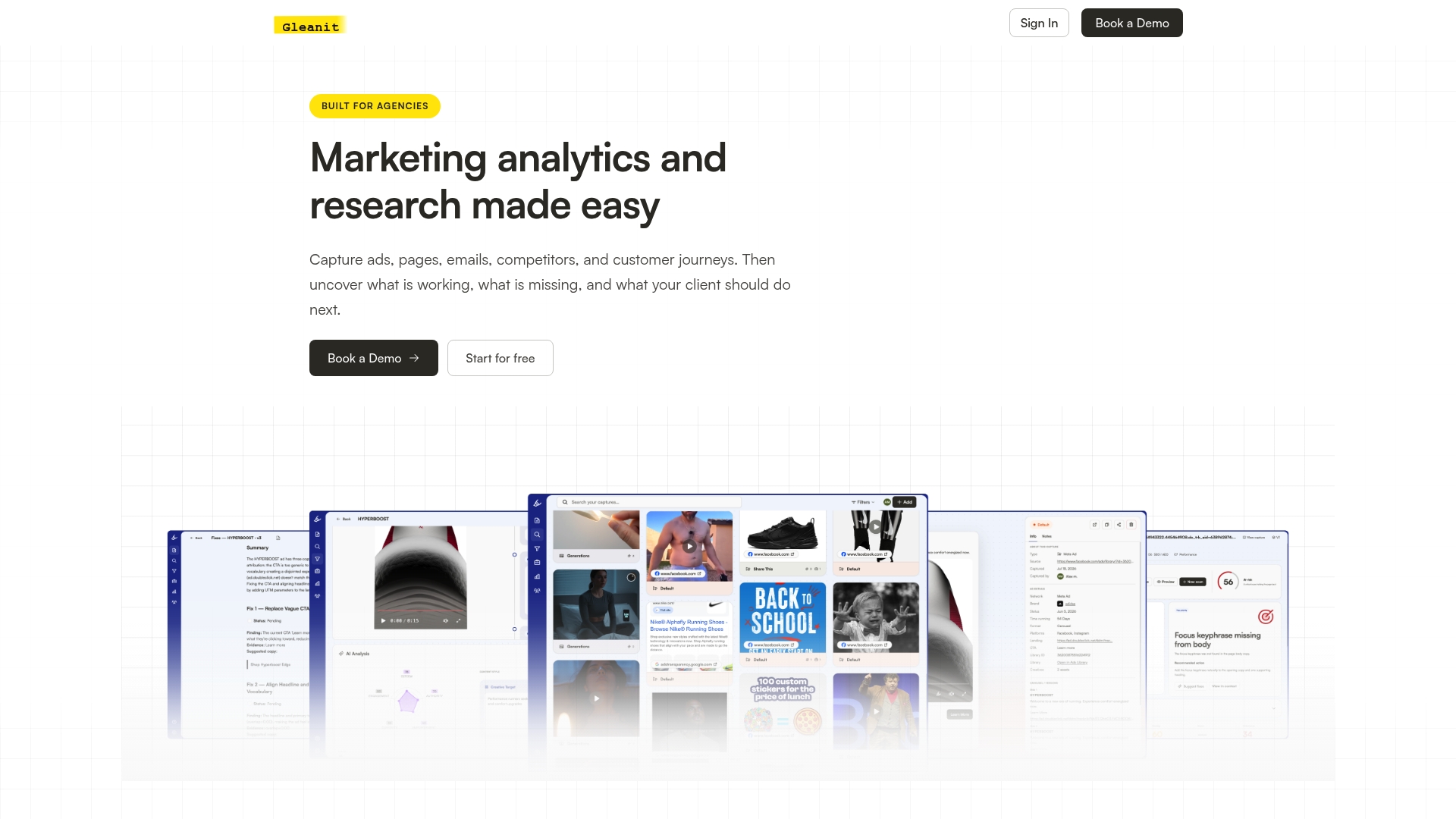
If you want to test the retrieval layer before committing to a full pilot, start with a free marketing audit to see how your current data setup maps to this workflow. Ready to run a parallel cycle across a live client account, check Gleanit’s pricing for the Solo and Agency plans and set up your first workspace.
Sources
- About data thresholds - Analytics Help
- Reporting data expectations | Google Analytics | Google for Developers
- Managers are struggling to keep up with the AI productivity boom
- Automated Reporting for Clients: Agency Playbook 2026 - LLMrefs
- Client Reporting in 2026: The Agency Framework
FAQ
What are client workflows in agency reporting?
A client workflow is the repeatable sequence an agency follows to turn raw platform data into a report a client can act on, covering data collection, validation, template population, and delivery. A well-run workflow assigns an owner to each step so nothing depends on one person’s memory.
What are the steps of the client reporting process?
The core sequence is defining the audience and decision, setting a single source of truth per KPI, limiting the report to three or four core metrics, building a summary-first template, diagnosing drivers before writing commentary, and attaching evidence before scheduled delivery. Each step depends on the one before it, which is why skipping ahead to templates before defining KPIs tends to backfire.
What does client reporting mean in a marketing agency context?
Client reporting is the process of translating campaign and platform data into a document or dashboard that shows a client what happened, why, and what to do next. Done well, it separates automatable retrieval tasks from judgment calls that need human verification before they reach a client.
How do I create an effective client report?
Start with the two decisions you want the client to approve, then build a summary block with three or four KPIs that pass a five-second readability test. Add modular detail sections underneath, diagnose the cause of any major change before writing narrative commentary, and attach source evidence with a timestamp to every claim.
How long does it take to switch to automated client reporting?
Most agencies run a parallel validation period of two to four weeks per client before switching delivery fully to automated reports, according to the Automated Reporting for Clients playbook. Complex accounts with multiple ad platforms or custom attribution rules often need a second cycle to resolve normalization mismatches.
Recommended
- Client Reporting Templates: Report in 45 Minutes
- Automate Marketing Reports for Agencies: Start With Data Governance
- Campaign Post Mortem: A Repeatable Agency Template
- 5 Step Data Storytelling for Marketing Reports That Drive Decisions
Corrections: ovannes@hearye.co or our editorial policy.