
The fastest way to find funnel leaks is to run a funnel exploration report and prioritize the single stage that loses the most customers by absolute volume, not the one with the ugliest percentage drop. Pull that data in Google Analytics 4, then confirm the cause with a behavioral tool like Microsoft Clarity or Hotjar. Rank every fix by impact: volume lost times drop rate times downstream revenue per customer.
TL;DR:
- The primary step is to analyze absolute customer volume lost at each funnel stage, prioritizing the largest loss regardless of percentage drop.
- Confirm technical issues by checking event consistency, recent releases, session settings, and device/browser-specific drops before hypothesizing design leaks.
- Segment leaks by source, device, and customer type, then quantify potential recoverable revenue with realistic estimates to determine high-impact fixes.
- Use heatmaps, session recordings, and error logs to diagnose why users abandon the funnel step, focusing on technical causes and user friction points.
- Automating funnel monitoring with tools like Gleanit can save time, surface critical leaks quickly, and help maintain fix stability through alerts and regular health checks.
Table of Contents
- Quick Checklist to Confirm a Real Leak
- How to Map the Funnel and Measure the Drop-Offs
- Diagnose Why Users Are Actually Leaving
- Segment the Leak and Prioritize by Dollar Impact
- Design a Test That Proves the Fix Worked
- Set Up Alerts So the Leak Can’t Come Back Quietly
- What Most Analysts Get Wrong About Funnel Leaks
- Fix Leaks Faster With Gleanit’s Automated Funnel Monitoring
- Sources
- FAQ
Quick Checklist to Confirm a Real Leak
Before you build hypotheses, rule out the boring explanations. Most “leaks” that get escalated to a war room turn out to be tracking bugs or a bad deploy, not a design problem.
- Check event counts against expectations. If a step’s volume dropped by half overnight, check for duplicate or missing events before you touch the funnel.
- Look for recent releases. Cross-reference the drop’s start date with your deployment log or ad platform changes.
- Verify session settings. Confirm whether your funnel is measuring same-session or cross-session completion, and check that your attribution window hasn’t shifted.
- Scan devices and browsers. A cliff isolated to one browser or one device category is almost always a technical issue, not a user experience one.
Five minutes on this checklist saves hours chasing a phantom leak that a tracking gap invented.
How to Map the Funnel and Measure the Drop-Offs
Pick four to six macro steps that represent real business milestones, not every click a user makes. Landing page view, product view, add to cart, checkout start, purchase is plenty for most e-commerce funnels; lead form view, form start, form submit, qualified lead works for B2B.
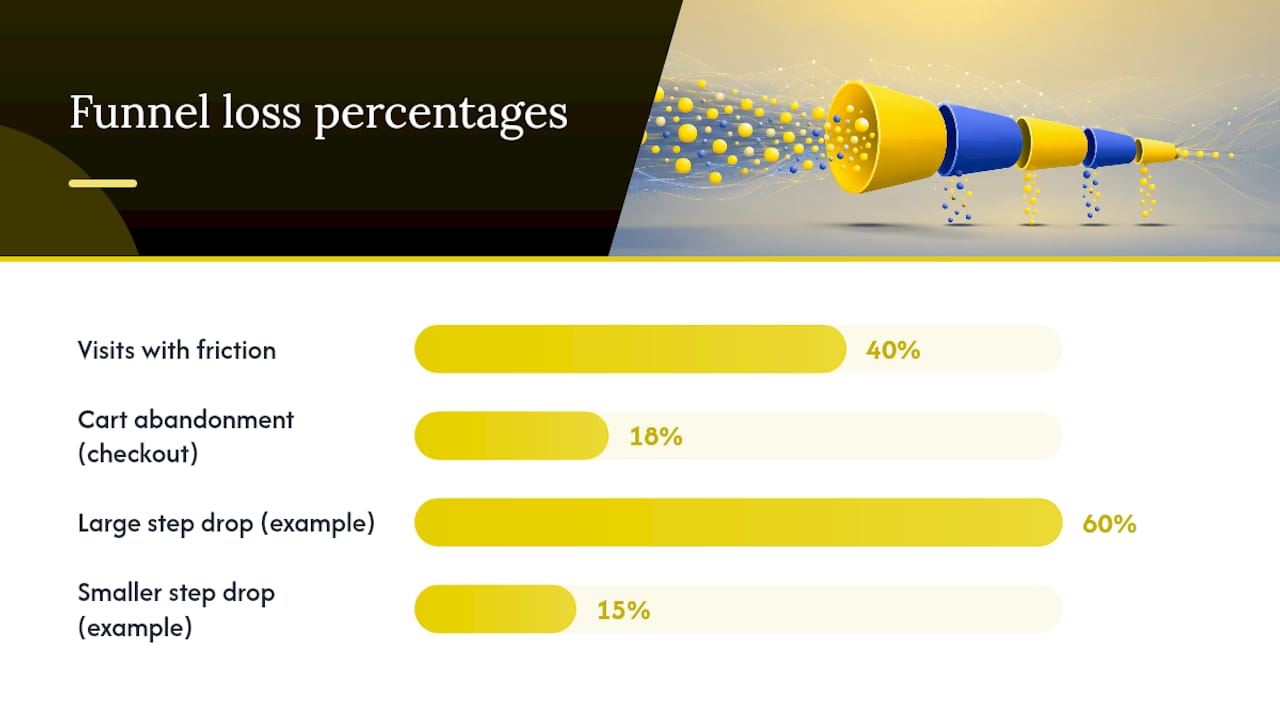
Build this in GA4’s Funnel Exploration report, which shows both the step-to-step percentage and the absolute number of users lost at each stage. That distinction matters more than most teams realize: a 60% drop at a low-traffic step might cost you fewer customers than a 15% drop at a high-traffic one.
- Set the funnel as “closed” if you want to enforce strict step order, or “open” if users can skip steps.
- Export the median time between steps for each transition. A time gap that balloons compared to historical baselines often signals confusion or a broken element, not just disinterest.
- Save a baseline snapshot before you change anything, so you can measure regression or improvement against a fixed reference point.
GA4 funnel reports separate rate from absolute volume for exactly this reason. A step that loses 200 people at 12% matters more than one that loses 40 people at 45%.
Baymard’s research shows 18% of shoppers abandon carts because checkout feels too long or complicated, and roughly 40% of web visits involve some kind of friction, whether that’s a technical error or a confusing interface. If your biggest absolute leak sits at checkout, you’re not alone, and the fix usually isn’t a redesign. It’s removing steps.
Diagnose Why Users Are Actually Leaving
Once you know where the leak lives, you need to know why. Analytics tells you people left; it doesn’t tell you what they saw when they did.
- Run heatmaps and session recordings on the exact page or step where the drop happens. Look for dead zones (clicks on non-interactive elements), rage clicks (repeated frantic clicking, usually a sign something looks clickable but isn’t), and abandoned scroll patterns.
- Pull form analytics if the leak is a form. Field-level drop-off often points to one confusing question, an unexpected validation error, or a field that doesn’t work on mobile keyboards.
- Check your error logs and page response times for the affected step. A slow API call or a JavaScript error that only fires in certain browsers can produce a leak that looks behavioral but is purely technical.
- Compare time-to-next-step against your baseline. A longer time that still converts is often genuine consideration. A longer time paired with a lower conversion rate is usually a failure mode.
In-app browsers inside Instagram, TikTok, or Facebook sometimes strip JavaScript or handle sessions differently than a standard browser, which can produce a leak that has nothing to do with your page design. Session recordings and heatmaps surface friction that raw analytics simply can’t show, which is why this step comes before you touch a line of copy or code.
Pro Tip: Segment your session recordings by device before you watch a single one. A rage click epidemic on mobile Safari and a clean desktop experience is a five-minute diagnosis that would take hours to find by watching recordings at random.
Segment the Leak and Prioritize by Dollar Impact
A single funnel number almost always hides multiple causes. Break the leaking step down by source and medium, device, new versus returning visitor, campaign, and cohort. The goal is a forensic narrowing: keep slicing until the leak resolves into one specific, testable cause tied to one specific group.
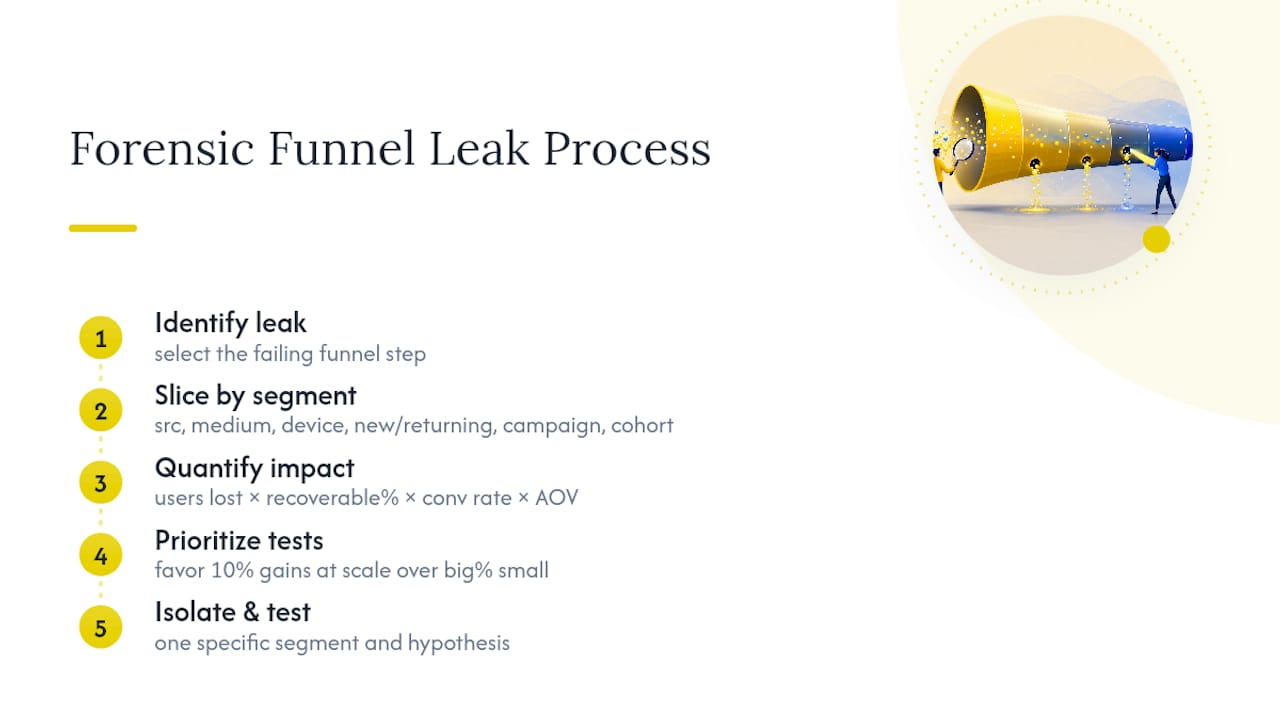
Once you’ve isolated the segment, quantify it. Multiply the absolute number of users lost at that step by a realistic recoverable percentage (not the full gap; nobody fixes 100% of a leak), then multiply that by your downstream conversion rate and average order value or lifetime value. That gives you a defensible dollar figure instead of a hunch.
Apply the same logic Pareto-style: a 10% improvement at a high-volume stage usually beats a 40% improvement at a low-volume one. Skip the tempting oddity, that one campaign with a suspiciously terrible 2% conversion rate on 30 total visitors, and go after the stage where the prioritization math actually pays out.
Design a Test That Proves the Fix Worked
Every fix starts as a hypothesis, not a redesign. Write it in five parts: what you believe is happening, the evidence that supports it, the evidence that could disprove it, how you’ll test it, and who owns the result.
- State the hypothesis in one sentence. “Mobile users abandon the shipping form because the state dropdown doesn’t render correctly on iOS Safari.”
- Set your primary metric and minimum sample size before launch, not after you see early results.
- Define your success threshold. A 3 to 5 percentage point lift at that step is a reasonable bar for most mid-traffic funnels; agree on the number before the test starts.
- Set guardrails. Watch error rate, support ticket volume, and a retention proxy so a “win” on the primary metric doesn’t hide damage elsewhere.
- If it fails, don’t scrap the whole theory. Re-segment and test a narrower hypothesis instead of starting over.
Pro Tip: Assign an explicit owner to every test, even a one-person team. “Owner: me, by Friday” beats an open-ended experiment that never gets a verdict. A structured creative testing framework applies the same discipline to ad-side experiments feeding the funnel.
Set Up Alerts So the Leak Can’t Come Back Quietly
Fixing a leak once is easy. Keeping it fixed is the part most teams skip. Build alerts that flag a sudden increase in step drop rate or error exposure, so you find out from a dashboard, not a client email three weeks later.
- Instrument rage clicks, repeated form submits, and abnormal time gaps as their own tracked events, not just something you notice in a replay.
- Write a one-page lesson for every diagnosis: the funnel, the step, the segment, the hypothesis, the test, the result, and the permanent instrumentation added because of it.
- Assign a named owner to each funnel and put a recurring health check on the calendar, weekly for high-traffic funnels, monthly for smaller ones.
- Feed lessons back into your customer journey mapping so new funnels inherit fixes instead of repeating old mistakes.
What Most Analysts Get Wrong About Funnel Leaks
Most people stop diagnosing the moment they find a plausible cause. That’s the biggest mistake I see: a team spots a slow page load, assumes that’s the story, and skips segmentation entirely. Run the segment step even when the technical explanation feels obvious. Small segments matter too. Chase recoverable dollars, not the biggest percentage on the chart. Tools like Gleanit’s automated monitoring exist because manually rebuilding this analysis across every client, every week, doesn’t scale.
— Ovannes
Fix Leaks Faster With Gleanit’s Automated Funnel Monitoring
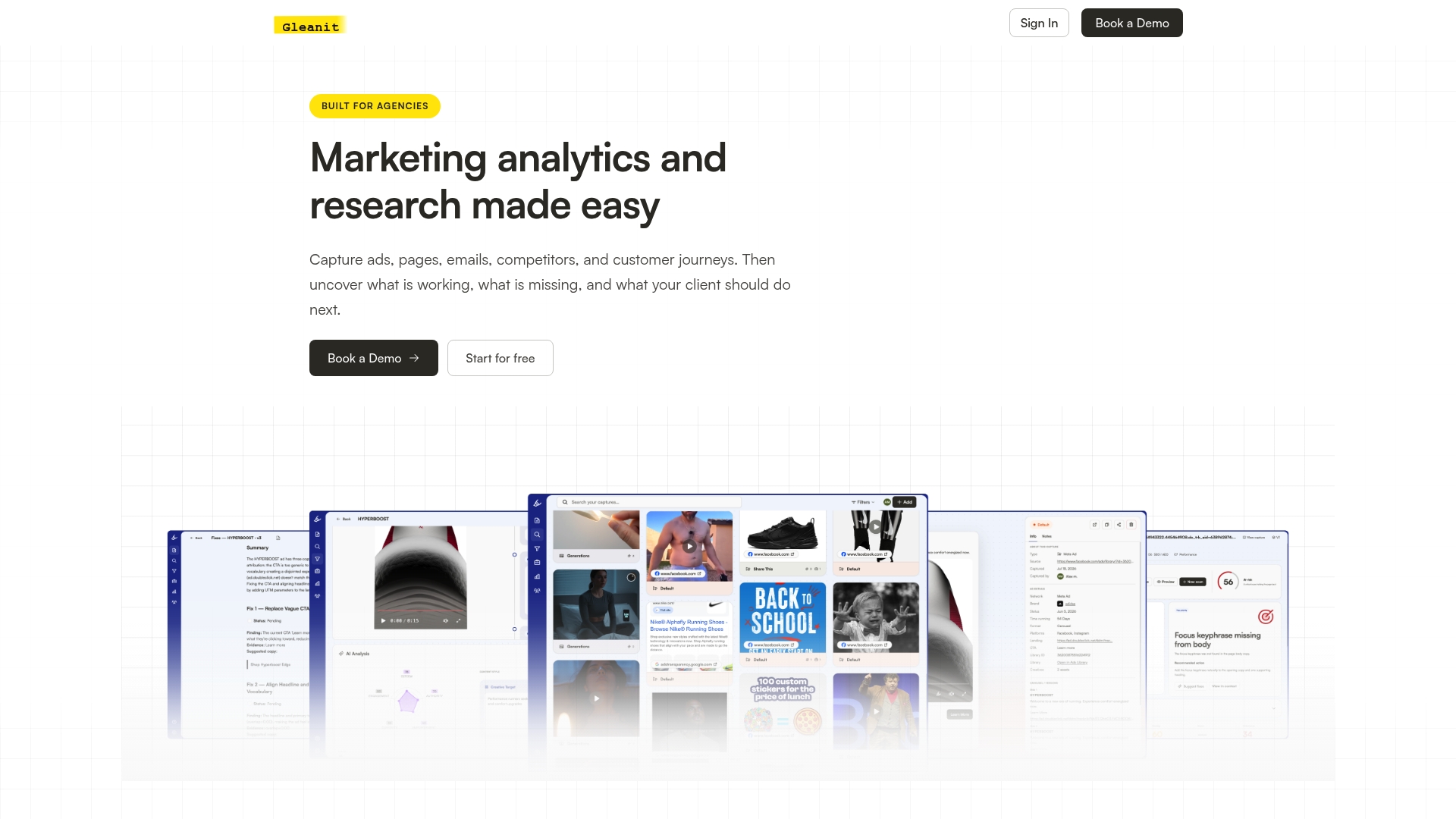
Running this diagnostic workflow by hand across five or ten client accounts eats a full day every week, and most of that time goes to pulling exports and formatting reports instead of finding causes. Gleanit automates the cross-platform monitoring piece, tracking customer journeys across Meta, TikTok, Google, and LinkedIn in one connected view, then surfaces funnel gaps and ranks fixes by revenue impact automatically.
Its AI reporting turns a raw funnel export into a client-ready audit in minutes instead of an afternoon, and agency workspaces keep every client’s diagnostics separate without duplicate logins. New diagnostic and reporting features ship weekly, so the workflow keeps pace with new platform quirks instead of falling behind them.
If you want a fast read on where your own funnel is likely leaking before committing to a subscription, start with a free landing page audit or a free ad audit to catch acquisition mismatches upstream of the funnel itself. When you’re ready for the full workflow, check the Solo and Agency plans.
Sources
- Baymard Institute — cart abandonment rate list
- Emilytics — How to use GA4 funnel reports to find where you’re losing customers
- FullSession — Conversion funnel analysis
FAQ
What Is the Fastest Way to Find Funnel Leaks?
Build a GA4 funnel exploration across your macro steps and sort by absolute users lost, not percentage drop. The stage losing the most customers by volume is almost always where you should start, and a behavioral tool like Microsoft Clarity or Hotjar confirms the cause within a day.
What’s the Difference Between a Rate Drop and an Absolute Drop?
Rate drop is the percentage of users who don’t move to the next step; absolute drop is the raw number of people lost. A step with a small percentage drop but massive traffic can cost more customers than a step with a scary percentage but low volume, which is why GA4 funnel reports track both.
How Do I Know if a Funnel Leak Is Technical, Not Behavioral?
Segment the drop by browser and device first. A leak isolated to one browser, an in-app browser, or a specific OS version is usually a technical bug, not a design or messaging problem, and it’s often fixed in hours rather than weeks.
How Much Revenue Should I Estimate a Fix Will Recover?
Multiply the absolute users lost at that step by a realistic recovery percentage, then by your downstream conversion rate and average order value, rather than assuming you’ll recover the full gap. This gives you a defensible dollar range instead of an inflated projection, and it’s the same prioritization logic that keeps teams from chasing low-impact fixes.
Can Gleanit Help Automate Funnel Leak Detection?
Gleanit automates cross-platform customer journey monitoring across Meta, TikTok, Google, and LinkedIn, then flags funnel gaps and ranks fixes by revenue impact. Pricing starts with the Solo plan at $99 per month, and free audits are available for landing pages, ads, competitors, and email.
Recommended
- 45 Minute LinkedIn Ads Competitor Audit for Agencies
- Campaign Post Mortem: A Repeatable Agency Template
- Google Ads Competitor Research: A Practical Workflow for Marketers
- One Afternoon TikTok Competitor Audit for Agencies, When to Automate
Corrections: ovannes@hearye.co or our editorial policy.