
The fastest, most reliable approach to Google Ads competitor research is a three-layer workflow: run a quick audit with Google’s own tools first, validate the signals with targeted third-party checks, then automate monitoring so you catch changes without manual effort. Start right now by pulling Auction Insights on your highest-spend campaign. That single report tells you who you’re actually competing against in the auctions you’re already running, and it takes about three minutes.
Here’s why this order matters:
- Layer 1 (Google tools): Free, authoritative, and fast. Auction Insights, Keyword Planner, and the Ads Transparency Center give you verified signals without any compliance risk.
- Layer 2 (Third-party validation): Fills the blind spots Google’s tools can’t cover, like competitors bidding on queries you don’t run yet, historical ad copy, and estimated spend trends.
- Layer 3 (Automation): Converts a one-time audit into a living intelligence feed, with alerts when competitors change messaging, add keywords, or shift budgets.
The rest of this guide walks you through each layer in enough detail to build a repeatable system, not just a one-off snapshot.
Key Takeaways
The most reliable Google Ads competitor research workflow combines Google’s own tools for verified signals, third-party platforms for trend detection, and automation to make the process repeatable at agency scale.
| Point | Details |
|---|---|
| Start with Auction Insights | Pull Auction Insights on your top campaign first; it shows real overlap with competitors in minutes. |
| Use Ads Transparency Center to verify | Confirm any third-party ad copy findings against Google’s public ad library before acting on them. |
| Treat modeled spend as directional | Third-party spend estimates show trend direction; never present them as exact figures to clients. |
| Focus on long-tail keywords | Mid-tail and long-tail terms deliver high-intent traffic at lower CPCs than contested head terms. |
| Gleanit automates the monitoring layer | Gleanit captures competitor ads across Google, Meta, and TikTok and surfaces prioritized recommendations for agencies. |
Table of Contents
- What are the best methods for Google Ads competitor research?
- How to use Google’s own tools to find competitor signals
- How to evaluate and validate third-party ad-intel tools
- A repeatable checklist to dissect a competitor’s ad and landing page
- Which competitor signals are worth tracking and what to do with each
- How to scale from weekly manual checks to automated monitoring
- How to turn competitor signals into prioritized tests and campaign changes
- What are the legal and ethical limits of competitor ad research?
- A one-page agency methodology for repeatable competitor research
- What most agencies get wrong about competitor ad research
- Gleanit automates what this guide asks you to do manually
- Sources
What are the best methods for Google Ads competitor research?
Five practical methods cover the full range from a quick solo audit to enterprise-scale monitoring. Knowing which one to reach for first saves hours.
1. Manual SERP checks Search your target keywords in an incognito window, note which ads appear, and record headlines, descriptions, and extensions. It’s the fastest way to see the current live state of a SERP. The limit is obvious: you can only check one query at a time, and results vary by location and device.
2. Google-native tools Auction Insights, Keyword Planner, Merchant Center, and the Ads Transparency Center together form the most authoritative free toolkit available. They’re covered in depth in the next section.
3. Third-party ad-intel platforms These tools model competitor spend, surface historical ad copies, and map keyword portfolios across advertisers. They fill gaps that Google’s tools structurally can’t, but their spend and CPC figures are estimates, not observed data.
4. Custom scrapers Python scripts or headless browsers that hit SERPs on a schedule. Useful for teams with engineering resources who need high-volume, customized data. Compliance risk is real; see the legal section before building one.
5. APIs and SaaS automation Official APIs (Google Ads API, Merchant Center API) combined with a SaaS monitoring layer give you the cleanest, most scalable path. This is where agencies with multiple clients eventually land.
| Method | Best use case | Pros | Cons |
|---|---|---|---|
| Manual SERP checks | Quick spot-checks, one-off audits | Free, immediate, no setup | Slow, not scalable, location-dependent |
| Google-native tools | Baseline audit, auction overlap | Authoritative, free, compliant | Limited to auctions you participate in |
| Third-party ad-intel | Keyword discovery, spend trends, ad history | Broad coverage, historical data | Modeled estimates, subscription cost |
| Custom scrapers | High-volume, custom data needs | Fully customizable | Engineering overhead, compliance risk |
| APIs and SaaS automation | Multi-client agencies, continuous monitoring | Scalable, alertable, integratable | Setup cost, requires data infrastructure |
For a one-off audit, methods 1 and 2 are enough. For ongoing competitive intelligence at agency scale, you’ll eventually combine all five, with automation handling the repetitive work.
How to use Google’s own tools to find competitor signals
Google’s native tools are underused, mostly because advertisers don’t know exactly what each one reveals. Here’s what they actually show and how to extract the useful parts.
Auction Insights
Open any campaign or ad group, click “Auction Insights” in the left nav, and you’ll see impression share, overlap rate, position above rate, and top-of-page rate for every advertiser sharing your auctions. The overlap rate tells you how often a specific competitor appears when you do. Position above rate tells you how often they outrank you.

The critical limitation: Auction Insights only shows competitors in auctions you already entered. If a competitor is bidding on queries you don’t run, they’re invisible here. That’s why you need layer 2.
Keyword Planner
Go to Tools → Keyword Planner → Discover new keywords. Enter a competitor’s domain or a seed keyword. Planner returns search volume ranges, competition levels (low/medium/high), and top-of-page bid ranges. Those bid ranges are directional, not real-time auction prices. Use them to gauge relative competitiveness across keyword clusters, not to set exact bids.
Pro Tip: Filter Keyword Planner results by “Top of page bid (high range)” to quickly identify which terms competitors are likely spending the most to defend. Those are the terms worth examining in the Ads Transparency Center next.
Ads Transparency Center
The Ads Transparency Center is Google’s public ad library. Search by advertiser name, filter by country, date range, and ad format (Search, Shopping, YouTube, Display). You’ll see live and recent creatives, which is the only free, authoritative way to confirm what a competitor is actually running right now.
Steps: go to adstransparency.google.com → search the advertiser name → filter by format and date → export or screenshot the ad variants you want to track. Cross-reference what you find here against anything a third-party tool surfaces. If a third-party tool claims a competitor is running a specific headline and you can’t find it in the Transparency Center, treat that data point with skepticism.
Merchant Center
For e-commerce advertisers, Google Merchant Center surfaces Shopping ad patterns. The Price Competitiveness report (under Growth → Manage programs) shows how your prices compare to other advertisers in the same product category. The Best Sellers report shows which products are trending in Shopping. Neither report names specific competitors, but the price benchmarks tell you whether you’re priced to win the Shopping auction or not.
CPC Simulator
Inside any keyword bid, click the bid simulator icon. It projects how changes to your max CPC would affect impressions, clicks, and cost. Use this after you’ve identified a keyword a competitor is defending heavily. The simulator tells you roughly what it would cost to match their estimated position, which helps you decide whether to contest the term or find a less-contested alternative.
How to evaluate and validate third-party ad-intel tools
Third-party tools are powerful, but their outputs are modeled, not observed. Before you trust a number, run it through a quick validation process.
Feature checklist: what to look for
When evaluating any ad-intel platform, confirm it covers these capabilities before committing to a subscription:
- Paid keyword discovery: Can it surface keywords a competitor bids on that you don’t?
- Historical ad copies: Does it store past ad variants with dates, so you can track messaging evolution?
- Landing page links: Does it capture the destination URL, not just the display URL?
- Estimated spend trends: Does it show directional spend over time, even if the absolute numbers are modeled?
- Geo filtering: Can you filter by country, region, or city?
- Ad format coverage: Does it cover Search, Shopping, Display, and YouTube, or just Search?
- API access: If you’re building a monitoring pipeline, can you pull data programmatically?
Trial validation checklist
Before you rely on a tool’s data, spend 30 minutes on this:
- Pick three keywords you know you’re bidding on and check whether the tool shows your own ads correctly.
- Take five competitor ad copies the tool surfaces and verify them in the Ads Transparency Center. If more than one doesn’t match, the tool’s freshness or accuracy is questionable.
- Compare the tool’s keyword list for a competitor against your Auction Insights report. There should be meaningful overlap for shared auctions.
- Look at the tool’s spend estimate for a competitor you know well. Does the order of magnitude feel plausible given their market presence?
Pro Tip: Modeled spend figures are best used for trend direction, not exact budgets. Whether the absolute number is $50,000 or $80,000 matters far less than the direction.
The right mental model: third-party tools are a telescope, not a microscope. They show you where to look. Your own conversion data and Google’s native tools confirm what you’re actually seeing.
A repeatable checklist to dissect a competitor’s ad and landing page
One well-documented ad observation is worth more than fifty screenshots with no structure. The goal is to map the full path from query to conversion so you can generate a testable hypothesis.
Capture checklist (one row per ad variant)
For each ad you observe, record:
- Query: The exact search term that triggered the ad
- Headline 1, 2, 3: Verbatim text from each headline slot
- Description 1, 2: Verbatim description text
- Ad extensions visible: Sitelinks, callouts, structured snippets, call extension, image extension
- Display URL path: The path fields shown in the ad
- Landing page URL: The actual destination URL after any redirects
- Landing page headline: The H1 or hero headline on the page
- Primary offer: What they’re offering (free trial, discount, demo, product price)
- Primary CTA: The button text and placement
- Funnel steps visible: Does the page go straight to a form, or does it route through a quiz, calculator, or multi-step flow?
- Instrumentation signals: UTM parameters, redirect domains, or tracking pixels visible in the URL or page source
- Message match score (1–3): Does the landing page headline match the ad headline? 1 = no match, 3 = exact match
- Sample date: When you observed this
Example tracker row
| Field | Example value |
|---|---|
| Query | “project management software for agencies” |
| Headline 1 | “Agency Project Management” |
| Headline 2 | “Free Trial” |
| Headline 3 | “Trusted by 10,000+ Teams” |
| Primary offer | Free trial, no credit card |
| Primary CTA | “Start Free Trial” |
| Landing page URL | /agency-pm-trial |
| Message match | 3 (exact match) |
| Funnel steps | Single-page form, 3 fields |
| Sample date | June |
A Chrome extension for Ads competitor analysis can speed up the capture step by surfacing campaign transparency data directly in your browser, though it works best as a complement to the Transparency Center rather than a replacement.
The hypothesis this row generates: “If we match their message (free trial, no credit card) with a shorter form, we may improve conversion rate on the same query.” That’s a testable experiment, not a guess.
Which competitor signals are worth tracking and what to do with each
Not every signal you can capture is worth acting on. Here’s how to sort them.
Observed signals (directly verifiable) carry more weight than modeled ones. Ad copy, extensions, and landing page structure are observed. Estimated spend and impression share are modeled or proxied.
| Signal | Type | Hypothesis it supports | Recommended action |
|---|---|---|---|
| New keyword appearing in competitor’s ads | Observed | They found a high-intent term you’re missing | Add to your keyword list, check Planner volume |
| Competitor added price extension | Observed | Price is a decision factor for this audience | Test a price callout in your own extensions |
| Competitor’s impression share rose sharply | Proxied | They increased budget or improved Quality Score | Check Auction Insights; review your own QS |
| Estimated spend up 30%+ over 60 days | Modeled | They’re scaling a campaign that’s working | Investigate their landing page for offer changes |
| Competitor dropped a keyword from rotation | Observed | That term may have poor ROI for them | Test it yourself with a small budget |
| Landing page CTA changed from “Get Demo” to “Start Free” | Observed | They’re testing lower-friction conversion | A/B test your own CTA friction level |
For B2B advertisers specifically, focusing on long-tail buying-intent keywords and measuring cost per lead rather than impression share tends to deliver better returns than contesting broad, high-CPC terms. A competitor dominating “CRM software” on impression share may be burning budget while you quietly own “CRM for construction companies” at a fraction of the CPC.
The signals that move fast (ad copy, extensions, landing page offers) need weekly checks. Signals that move slowly (keyword portfolio composition, estimated spend trends) are fine to review monthly.
How to scale from weekly manual checks to automated monitoring
Manual checks are where you start. Automation is where you end up when the volume of competitors, markets, or clients makes manual work impractical.
The three-stage path
Stage 1: Manual weekly checks (weeks 1–4) One person, one spreadsheet, 30–60 minutes per week. Check Auction Insights, run three to five manual SERP checks on priority queries, and log any changes to the tracker. This builds your baseline and teaches you what “normal” looks like for each competitor.

Stage 2: Lightweight scheduled automation (month 2+) Set up scheduled alerts in your ad-intel tool for competitor keyword changes or new ad copy. Use Google Ads scripts to export Auction Insights data automatically into a Google Sheet on a weekly schedule. This cuts manual time to 15 minutes of review rather than 45 minutes of data collection.
Stage 3: Full pipeline with storage and deduplication (when scale demands it) At this stage you’re pulling data via API, normalizing URLs, deduplicating ad variants by hash, and storing records in a database with timestamps. A lightweight tracker with normalized columns — keyword normalized form, ad text hash, landing page canonical URL, sample date, source — dramatically reduces false positives and speeds pattern detection.
Pro Tip: Before building a custom scraper, check whether an official API covers your use case. The Google Ads API and Merchant Center API are free for authorized users and carry no compliance risk. Custom scrapers that hit Google SERPs directly risk IP blocks and terms-of-service violations.
Operational checklist for any monitoring setup
- Data storage: Where do records live? A shared Google Sheet works for stage 1; a database is needed by stage 3.
- Identity matching: Normalize competitor URLs to canonical form before storing (strip UTM parameters, resolve redirects).
- Deduplication: Hash ad copy text so you don’t count the same ad variant twice across sampling dates.
- Retention policy: Keep at least 12 months of data to detect seasonal patterns.
- Alert thresholds: Define what triggers a human review (e.g., a competitor’s impression share rises more than 15 percentage points in one week).
- Privacy guardrails: Never store personally identifiable information from ad interactions; only store publicly visible ad content.
Escalate to stage 3 when you’re monitoring more than five competitors across more than two markets, or when a client SLA requires same-day alerts on competitor changes.
How to turn competitor signals into prioritized tests and campaign changes
Collecting competitor data without acting on it is just expensive filing. The conversion from observation to experiment is where the value actually lives.
Prioritization framework
Score each potential test on three dimensions:
- Impact: How much traffic or conversion volume could this affect? A keyword with 10,000 monthly searches matters more than one with 200.
- Cost: What’s the CPC, and how complex is the campaign change? A new ad copy test costs almost nothing. Restructuring a campaign takes days.
- Confidence: How strong is the signal? An observed landing page change is high confidence. A modeled spend estimate is low confidence.
Multiply the three scores (1–3 scale for each) to get a priority number. Run the highest-scoring tests first.
Sample experiment plan fields
For each test you run, document:
- Objective: What outcome are you trying to improve?
- Hypothesis: “If we [change X], then [metric Y] will improve because [competitor signal Z suggests this works].”
- Primary metric: The one number that decides pass/fail.
- Guardrail metrics: Metrics that must not get worse (e.g., conversion rate must not drop below current baseline).
- Audience: Which campaign, ad group, or segment?
- Duration: Minimum two weeks; four weeks for low-volume ad groups.
- Sample size rule: Don’t call a winner until you have statistical significance or a pre-agreed minimum conversion count.
- Rollout rule: What percentage of traffic gets the test variant before full rollout?
Decision rules
Adopt a competitor’s messaging angle when their signal is observed (not modeled), the message addresses a gap in your current copy, and your audience research supports the same value proposition. Differentiate when the competitor’s message is already saturating the SERP, meaning three or more advertisers are running the same angle.
On branded bidding: bidding on a competitor’s brand name typically increases CPA without reliable ROI unless you have a specific capture strategy (e.g., a direct comparison page). Use competitor brand terms defensively to protect your own brand, not as a primary acquisition channel.
What are the legal and ethical limits of competitor ad research?
The short answer: public ad libraries are always safe; scraping Google SERPs directly is not.
What’s allowed
- Viewing and recording ads from the Google Ads Transparency Center is fully permitted. It’s a public tool Google built for exactly this purpose.
- Using Auction Insights, Keyword Planner, and Merchant Center within your own account carries no policy risk.
- Subscribing to third-party ad-intel platforms that aggregate publicly visible data is standard industry practice.
What carries risk
- Scraping Google SERPs directly violates Google’s Terms of Service. Google’s robots.txt explicitly disallows automated crawling of search results pages. IP blocks, account flags, and legal exposure are all real outcomes.
- Storing ad content at scale without a clear retention and deletion policy creates data governance risk, particularly if your pipeline inadvertently captures user-generated content or personally identifiable information.
- Impersonating a competitor in any ad, landing page, or communication is a trademark violation and a Google Ads policy violation.
- Using competitor trademarks as keywords without a legitimate comparative advertising purpose is a gray area that varies by jurisdiction. When in doubt, consult legal counsel before running a campaign that targets a competitor’s brand name.
Document an escalation path: if a legal question arises about a specific tactic, who reviews it and what’s the turnaround time? For agencies, that answer should be in writing before a client asks.
The practical rule: if the data comes from a public ad library or an official API, you’re on solid ground. If it requires circumventing a technical barrier or violating a terms-of-service clause, stop and find another source.
A one-page agency methodology for repeatable competitor research
A workflow that lives in one person’s head isn’t a workflow. Here’s a structure agencies can document, assign, and hand off.
Ownership and SLA table
| Step | Owner | Cadence | Output | SLA |
|---|---|---|---|---|
| Auction Insights pull | Campaign manager | Weekly | Updated overlap report | Monday AM |
| Manual SERP checks (5 priority queries) | Junior analyst | Weekly | New rows in tracker | Monday AM |
| Third-party tool review | Senior analyst | Bi-weekly | Trend summary, flagged changes | Wednesday |
| Experiment prioritization | Strategist | Monthly | Ranked test backlog | First Friday of month |
| Client report | Account manager | Monthly | Summary with caveats on modeled data | Last Friday of month |
What to report to clients
Clients don’t need to see raw Auction Insights data or modeled spend estimates. They need to understand what changed, why it matters, and what you’re doing about it. Structure client reporting around three questions:
- What did competitors do this period? (Observed changes only: new keywords, new ad copy, landing page changes.)
- What does it mean for our campaigns? (Hypothesis and recommended test.)
- What are we testing as a result? (Experiment name, primary metric, expected timeline.)
When you do present modeled metrics, label them explicitly. “Estimated spend (modeled, directional only)” is more credible than presenting a third-party spend figure as fact.
Pro Tip: Build a “competitive changes log” tab in your client reporting sheet. One row per observed change, with date, source, and the experiment it triggered. After six months, that log is one of the most compelling proof-of-work artifacts you can show a client during a renewal conversation.
A repeatable tracker with normalized columns, as noted in the Coupler.io competitor analysis guide, is the minimum viable competitive intelligence asset. It enables pattern detection over time, which is where the real strategic value accumulates.
What most agencies get wrong about competitor ad research
The most common mistake is treating competitor research as a creative brief. A team spots a competitor running a “free trial” offer, immediately rewrites their own ads to match, and wonders why conversion rates don’t improve. The problem is that copying surface-level messaging ignores the full funnel. The competitor’s free trial converts because their landing page, onboarding flow, and email sequence are tuned for it. The ad is just the door.
The second mistake is treating impression share as the primary success metric. Impression share tells you how often you showed up, not whether showing up was worth the money. Chasing their impression share number pulls budget away from the long-tail terms where your actual buyers are searching.
The third mistake is presenting modeled spend figures to clients as if they were invoices. “Your competitor spent $120,000 last month” is a claim that no third-party tool can actually verify. The number is a model output based on estimated click volumes and average CPCs. Present it as a directional signal and your credibility stays intact. Present it as fact and you’re one client question away from a trust problem.
The shortcuts that actually work: use the Ads Transparency Center to build a creative swipe file before you write a single new headline. Focus your keyword research on mid-tail and long-tail terms where competitors are thin, because those terms deliver high-intent traffic at lower CPCs. And instrument your landing pages properly before you run any experiment, because conversion quality data is the only thing that tells you whether a competitor’s approach actually works or just looks like it does.
The before/after that matters most isn’t “we found a competitor’s keyword and added it.” It’s “we found a gap in their funnel, built a better offer for that intent, and our cost per qualified lead dropped.” That’s the outcome a well-run competitor research process produces.
Gleanit automates what this guide asks you to do manually
Running this workflow manually across five clients and three platforms is a part-time job. Gleanit was built to handle the repetitive layers so your team focuses on the analysis and experiments, not the data collection.
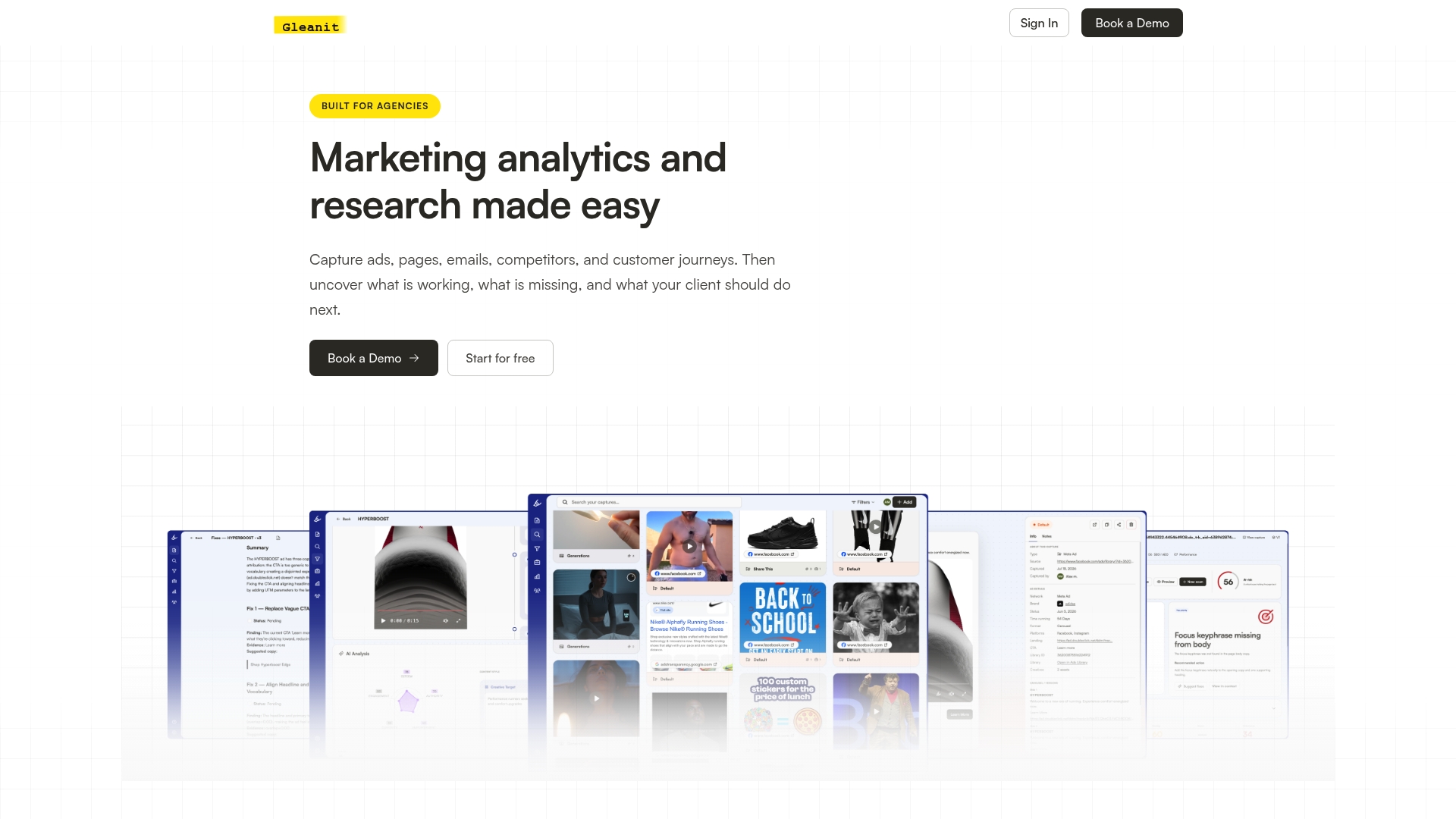
Three things Gleanit does that directly compress the workflow above:
- Automated ad capture across Google, Meta, and TikTok: Gleanit monitors competitor ads continuously and logs new creatives, copy changes, and landing page updates without manual SERP checks.
- Funnel gap detection: The platform maps the full ad-to-conversion path and flags where competitors’ funnels break down, surfacing the differentiation opportunities that manual analysis often misses.
- Prioritized, exportable recommendations with client workspaces: Every flagged change comes with a recommended action ranked by estimated impact, and each client gets a dedicated workspace so reporting stays clean and separate.
Agencies using Gleanit typically move from a weekly manual audit to a daily automated feed within the first two weeks. Start a free trial or book a demo at Gleanit to see how the monitoring layer fits your current workflow.
Sources
- Google Ads competitor analysis: Spy smarter, spend better — Search Engine Land
- How to Analyze Competitors’ Google Ads: 5 Methods — Oxylabs blog
- Google Ads Competitor Analysis Guide — Coupler.io blog
- Google Ads Competitor Analysis — Customer Impact
- Find Competitors’ Ads: Google, Facebook/Instagram & TikTok (Free) — Excellappc
Recommended
Corrections: ovannes@hearye.co or our editorial policy.