
Start with LinkedIn’s Ad Library and the competitor’s own Company page. Those two sources give you every active ad, so your first move is scanning format mix and flagging any ad that’s been running 60+ days. Then open a one-page tracking log for three to five direct competitors and update it monthly.
TL;DR:
- Ads running for over 60 days are likely sustained performers, as long-term funding indicates proven conversion or relevance.
- The ad’s format and offer destination reveal whether the competitor is testing low-cost awareness tactics or qualifying leads with higher friction.
- Tracking consistent changes in creative and format shifts monthly helps identify emerging trends and strategic shifts.
- Automated tools like Gleanit streamline monitoring of multiple competitors, flag long-standing ads, and generate prioritized insights quickly.
- Manual audits can be completed in about 45 minutes per session, but automation is essential for managing larger volumes efficiently.
Table of Contents
- How to Do LinkedIn Ads Competitor Research the Right Way
- What to Analyze in a Competitor’s LinkedIn Ads
- Building a Repeatable Monthly Ad Audit
- Scaling Capture Without Losing Accuracy
- How Gleanit Turns Ad Monitoring Into Prioritized Fixes
- A 45 Minute Audit, Start to Finish
- Put the Monitoring on Autopilot With Gleanit
- Sources
How to Do LinkedIn Ads Competitor Research the Right Way
The fastest path into a competitor’s ad account isn’t their website or a sales call. It’s LinkedIn’s Ad Library, a public database searchable by advertiser name, payer name, keyword, country, and date range. You don’t need a LinkedIn account to search it, though signing in occasionally surfaces more detail on individual placements.
There are two ways in. You can go straight to the Ad Library and type the competitor’s company name into the search bar. Or you can visit their Company page, click the “Posts” tab, and look for the small “Ad” tag LinkedIn stamps on sponsored content mixed in with organic posts. The second method is slower but useful when you already know the page and just want a quick gut check before running a full audit.
A few habits speed this up considerably, such as bookmarking each competitor’s Ad Library search URL for quick access, using Google search operators to find competitor pages when URLs are unknown, filtering ads first by date range to spot new launches quickly, and always verifying the country filter since ads vary by region.
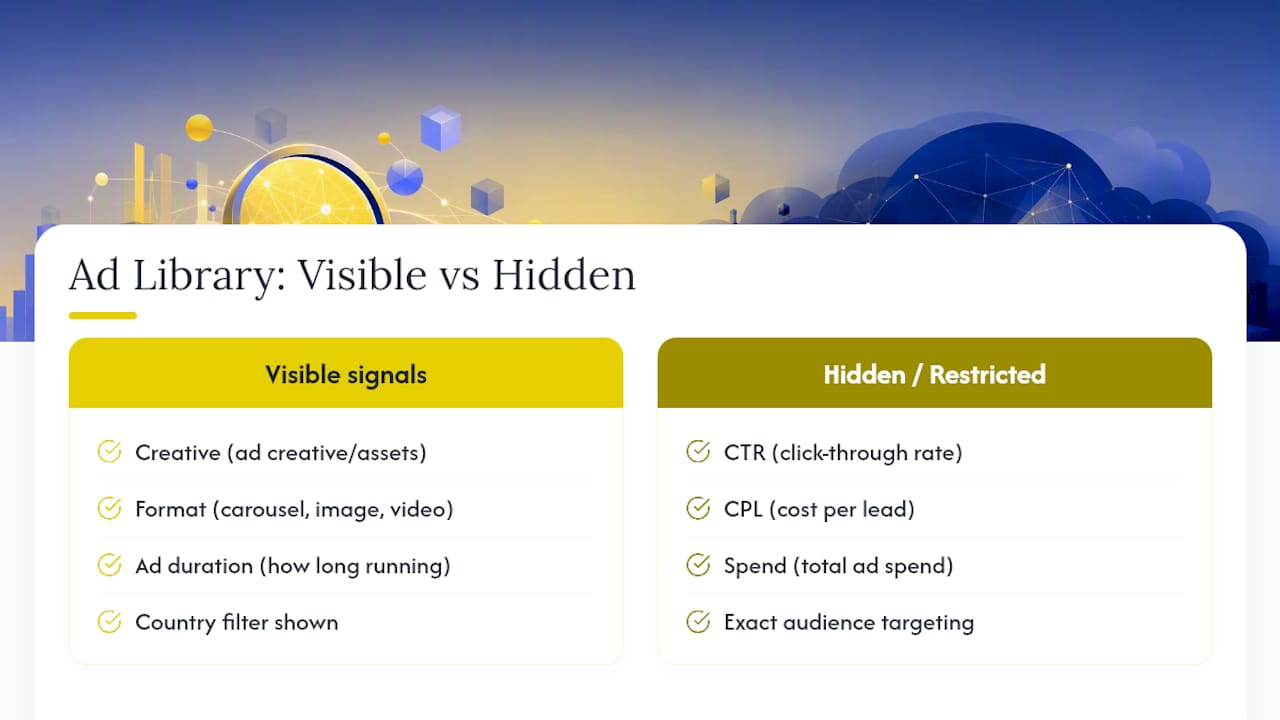
Set expectations before you go looking for numbers that don’t exist. The Ad Library shows creative, format, and how long an ad has run. It does not show CTR, CPL, spend, or exact audience targeting. LinkedIn’s own help documentation confirms that some targeting parameters, particularly in the EU, are restricted or hidden entirely depending on region. You’re working with signal, not a dashboard.
What to Analyze in a Competitor’s LinkedIn Ads
Once you’ve pulled up a competitor’s active ads, resist the urge to screenshot everything and sort it out later. Work through it in order, because each layer tells you something different about how they’ve structured their funnel.
- Creative anatomy. Note the headline, the first line of copy (the part that shows before “see more”), the visual style, any proof element like a client logo or stat, and the exact CTA text.
- Format choice. A single image ad usually signals a cheap, fast test. Video often means a bigger production budget and a brand or mid-funnel push. A document ad (carousel PDF) almost always points to a gated asset, like a report or template. Thought leader ads, run through an employee’s profile, tend to sit at the top of the funnel building trust before a harder pitch.
- Offer and CTA destination. Does the ad route to an internal Lead Gen Form, or does it push to an external landing page? Internal forms usually mean the competitor is optimizing for form-fill volume and doesn’t mind a colder lead. External pages with more friction usually mean they’re qualifying harder, often ahead of a demo or sales call. Capturing this landing detail, not just the ad copy, gives you sharper diagnostic read than comparing creative styles alone, according to a complete guide to LinkedIn Ads Library research.
- Run duration. This is the single most useful proxy you have. Ads that have run for 60, 90, or more days are the ones a competitor trusts enough to keep funding. A brand-new ad tells you almost nothing yet. A stale-looking ad that’s been live for four months tells you it’s probably still converting.
- Funnel mapping. Once you’ve tagged ten or fifteen ads by format and offer, patterns emerge. Competitors often over-invest in awareness formats like thought leader ads and video, and under-invest in mid-funnel offers like case studies or comparison guides. That gap is where you build your next test.
Pro Tip: Never copy a long-running ad’s creative outright. Study the hook and the CTA structure instead, then build your own version around your own proof points. Copying the surface without understanding why it worked usually underperforms the original.
On raw cost, don’t assume LinkedIn is automatically the expensive option it gets a reputation for. One benchmark study found LinkedIn’s blended CPC at $11.12 against Google’s $5.45, but when you isolate high-intent, non-branded search terms, the gap narrows to $12.48 versus $13.94 for LinkedIn prospecting. Format and funnel-stage inference will teach you more about a competitor’s strategy than any CPC guess ever will, since you can’t see their actual spend.
Building a Repeatable Monthly Ad Audit
Pick three to seven competitors who overlap with you on audience, product category, or funnel stage. Fewer than three and you won’t spot patterns. More than seven and the audit turns into a data-entry chore nobody finishes. A compact monthly audit covering 10 to 15 data points per competitor is enough to catch launches and budget shifts before they show up anywhere else.
Run the audit the same way every month:
- Pull every active ad for each competitor and count them.
- Tally the format mix (image, video, document, thought leader, lead gen).
- Flag anything that’s crossed the 60 day mark as a likely winner.
- Screenshot any new creative you haven’t logged before.
- Note anything that disappeared since last month. A sudden pause on a long-runner is worth investigating.
Tracking new ads, removed ads, and format shifts month over month is what turns a single snapshot into a real trend line. One month tells you what’s live. Six months tells you what’s working and where their budget is moving.
A simple sheet does the job:
Once you’ve filled a row for each competitor, look for the gap: a funnel stage nobody in your set is covering, or a format everyone’s ignoring. That gap becomes your next two or three test hypotheses, not a guess.

Scaling Capture Without Losing Accuracy
Manual capture works fine for three competitors checked monthly. Name your screenshots consistently (competitor, format, date), keep a running doc of landing page URLs, and you’ll have a usable archive without any extra software. The moment you’re tracking more than five or six accounts, or reporting to clients weekly instead of monthly, manual capture starts eating hours you don’t have.
That’s the point to introduce lightweight tooling. A few categories are worth knowing:
- Browser extensions built for ad intelligence can surface active ads and estimated run dates without you manually re-searching the Ad Library every time.
- Spreadsheet automation (even something as basic as a shared Google Sheet with a change log) keeps a team from duplicating work across accounts.
- Screenshot and archive tools that timestamp captures automatically save you from the “when did I actually see this ad” problem three months later.
Whatever you use, capture the same fields every time: competitor name, format, hook, CTA, landing destination, and first-seen date. Those six fields feed directly into the audit table above, and consistency matters more than the specific tool. A messy spreadsheet with every field filled in beats a fancy dashboard missing half of them.
How Gleanit Turns Ad Monitoring Into Prioritized Fixes
Running this audit by hand teaches you the signals worth watching. Running it across ten competitors and three ad platforms every week is a different problem entirely. An automated tool can handle the capture side of the workflow described above: monitoring active ads across Meta, TikTok, Google, and LinkedIn, flagging when a competitor’s ad crosses a run-duration threshold worth noticing, and generating a report that highlights the funnel gap instead of leaving you to spot it manually.
A typical flow looks like this: automated capture logs every new and removed ad, a run-duration alert flags anything that’s held steady for weeks, and the platform surfaces a prioritized suggestion, like a mid-funnel format gap, ranked by likely impact.
- Automation handles volume and consistency, catching new ads the day they launch instead of the day you remember to check.
- Manual review still matters for judgment calls, like deciding whether a competitor’s messaging shift is a real strategic pivot or just seasonal copy.
Pro Tip: Use automated alerts to tell you WHEN something changed, but keep the creative interpretation, the “why does this ad work” analysis, in human hands. That’s where the actual test ideas come from.
A 45 Minute Audit, Start to Finish
Pick three competitors sharing your audience. Pull each one’s Ad Library results, tally format mix, and log run start dates. In one recent pass, one competitor had a single image ad running since September, six months untouched. Another had zero document ads across its entire active set. Two test ideas fell out immediately: build a gated PDF for the untouched format gap, and test a variant of that long-runner’s hook in video. That’s the whole audit. No dashboard required, just forty five minutes and a spreadsheet.
— Ovannes
Put the Monitoring on Autopilot With Gleanit
Manual audits work until you’re tracking more competitors than you have hours in the week. Gleanit is built for exactly that gap: automated ad capture across Meta, TikTok, Google, and LinkedIn, run-duration flags so long-running “winner” ads surface without you checking every account by hand, and AI-assisted reports that hand you a prioritized fix instead of a pile of screenshots.
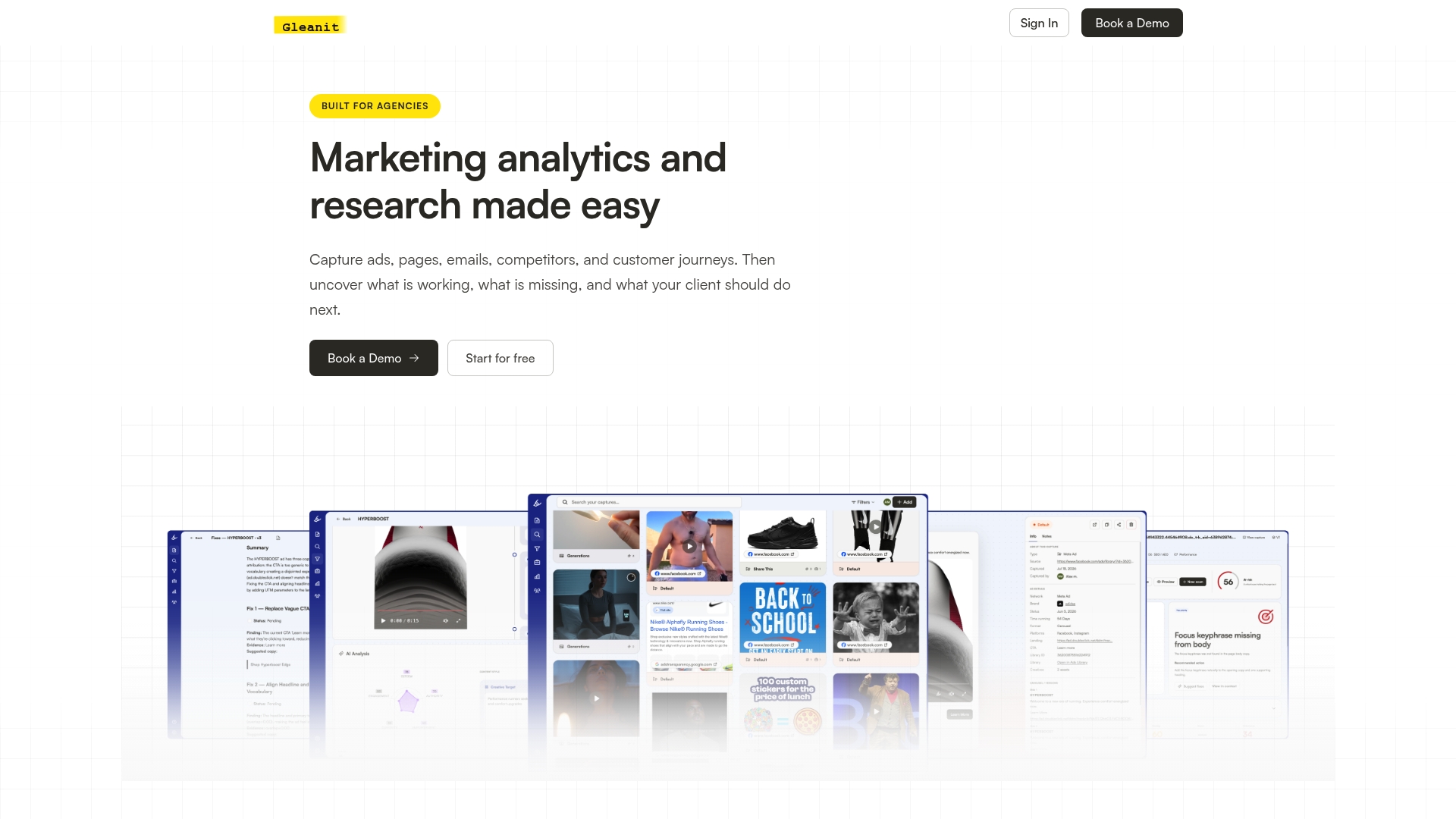
If you’re already running the manual version of this workflow described above, agencies managing five or more client accounts tend to feel the time cost first, Gleanit’s automated monitoring and creative testing framework turn that same audit into a recurring report your team reviews instead of builds. Start a free trial and connect your first competitor set today to see what surfaces in your first automated report.
Sources
Start with LinkedIn’s Ad Library help center for official navigation, then review CPC benchmarking data and Gleanit’s LinkedIn Ad Library guide for deeper tactics.
- LinkedIn’s Ad Library
- 5 Unconventional Ways to Use the LinkedIn Ads Library for Competitor Research | DimenGrowth
- LinkedIn Ads Library: The Complete 2026 Guide to Competitor Research
Recommended
- The LinkedIn Ad Library Guide Every Marketer Needs
- Google Ads Competitor Research: A Practical Workflow for Marketers
- Campaign Post Mortem: A Repeatable Agency Template
- Google Ads Transparency Guide for Marketers: Workflow & Tricks
Corrections: ovannes@hearye.co or our editorial policy.