
Monitoring Meta ads well comes down to three habits: a five minute daily brief, one custom dashboard view in Meta Ads Manager, and automated rules that flag problems before you go looking for them. Both the Meta Pixel and Conversions API need to be live and matched before any of those numbers can be trusted, so open Ads Manager now and confirm both are firing. Automation exists to shrink the time you spend staring at charts, not to replace judgment.
TL;DR:
- Ensure the Meta Pixel and Conversions API are properly set up, firing, and matched before trusting any performance data, especially verifying Event Match Quality.
- Focus daily monitoring on spend pacing, CTR, CPC, CPM, and frequency, breaking down by placement and creative before reacting to any threshold breach.
- Detect early signs of creative fatigue through hook rate and CPM rising before frequency or CTR decline, then refresh only the specific failing element.
- Automate routine checks with custom dashboards and rules that alert or pause ad sets when CPA exceeds targets, frequency is too high, or ROAS drops below breakeven.
- Use third-party tools for deeper insights into creative performance and competitor strategies, while maintaining compliance with privacy regulations by hashing personal data before sending via CAPI.
Table of Contents
- What to Monitor Daily in Meta Ads
- How Do You Set Up and Verify Meta Pixel Tracking?
- How Do You Spot Creative Fatigue Before It Tanks ROAS?
- Building Dashboards and Automated Rules That Cut Your Workload
- How Agencies Automate the Five Daily Meta Ads Checks
- Reading the Signals: When to Scale and When to Pause
- The Five Daily Questions: A Morning Checklist
- Integrating Third-Party Tools for Deeper Meta Ads Analytics
- Privacy Rules to Follow While Monitoring Meta Ads
- What Actually Matters in Meta Ads Monitoring
- Getting Started with Gleanit’s Monitoring Workflow
- Sources
What to Monitor Daily in Meta Ads
Five numbers tell you almost everything you need to know before 9 a.m.: spend pacing, CTR, CPC, CPM, and frequency. Add ROAS or CPA depending on whether you’re selling products or generating leads, plus conversion rate and hook rate if you’re running video.
Spend pacing matters more than most marketers treat it. Check it first, before you even look at conversions.
Here’s how to map what you see to what you do:
- CTR drops below your account average by 20%+: the creative is losing relevance. Check frequency next before assuming it’s the hook.
- CPM rises sharply with flat CTR: this is usually an auction problem, not a creative one. Look at audience overlap or a seasonal demand spike.
- Frequency climbs past 3 to 4 while CTR falls: creative fatigue. Refresh before ROAS follows it down.
- ROAS or CPA swings more than 25% day over day on low spend: don’t react yet. Small samples are noisy. Wait for the ad set to clear a few dozen conversions.
- Conversion rate falls but CTR holds steady: the problem is downstream. Check landing page speed or a broken checkout before touching the ad.
Pro Tip: Set your thresholds as relative changes against a 7 day rolling average, not fixed numbers. A CPM of $18 might be a crisis for a low ticket ecommerce account and a bargain for B2B lead gen.
Once a metric trips a threshold, break it down by placement, then by creative, then by audience, in that order. Placement first because Reels, Feed, and Audience Network behave completely differently, and a blended number hides which one is actually broken. Consolidating ad sets so each one gets meaningful volume also matters here: Meta’s own guidance points toward roughly 50 optimization events per week as the threshold for an ad set to exit the learning phase and produce stable data you can actually act on. Below that, you’re reading noise and calling it a trend.
How Do You Set Up and Verify Meta Pixel Tracking?
Neither the Meta Pixel nor the Conversions API is optional if you want data you can trust. The Pixel captures browser side events; CAPI sends the same events server to server, bypassing ad blockers and iOS tracking restrictions. Run them together and you recover events the Pixel alone would lose, which directly affects how well Meta’s algorithm can optimize your delivery. Tracking guides built for 2026 campaign management treat Pixel plus CAPI as the baseline, not an advanced setup.
Aggregated Event Measurement limits you to eight conversion events per domain, so prioritization matters. Here’s the order that works for most accounts:
- Purchase or primary conversion — the event tied to revenue, always ranked highest.
- Add to cart or lead submission — the strongest mid funnel signal you have.
- Initiate checkout or form start — catches drop off before the final step.
- View content — useful for retargeting audiences, ranked lower.
- Search — relevant for larger catalogs, otherwise skip it.
- Add payment info — a fine-grained signal, only worth a slot if you have volume to spare.
- Complete registration — for lead-gen and SaaS accounts specifically.
- Custom event — reserve the last slot for anything unique to your funnel.
Verify the setup before trusting a single dashboard number. Run Meta’s Test Events tool and confirm the Pixel and CAPI are sending matching event IDs, not duplicating each other. Check Event Match Quality (EMQ) in Events Manager. A score under 5 out of 10 means Meta can’t reliably tie conversions back to real people, which quietly inflates your CPA even when everything looks fine on the surface.
Pro Tip: If EMQ suddenly drops after a site redesign, check whether your checkout form still passes email and phone parameters to CAPI. A dev team swapping a checkout provider is the single most common cause of a tracking collapse we see.
Common failure signs: conversions reported in Ads Manager but missing from your CRM (deduplication issue), a sudden EMQ drop after a site change, or CPA that looks too good to be true (often a duplicate Purchase event firing twice). Fix deduplication first by matching event IDs between Pixel and CAPI; it resolves most phantom-conversion problems within a day.
How Do You Spot Creative Fatigue Before It Tanks ROAS?
Frequency isn’t the only fatigue signal, and it’s usually not the earliest one. Two numbers move before frequency does: CPMr, the cost to reach 1,000 unique users, and hook rate, the percentage of people who watch past the first three seconds. Both tend to shift before CTR or conversion rate visibly decline, which means you can catch fatigue while a campaign is still profitable instead of after it’s already bleeding.
The fatigue signals, ranked by how early they show up:
- Hook rate falling week over week on the same creative, even with stable audience size.
- CPMr climbing while spend and audience stay flat, a sign the auction is charging more to reach the same people.
- Frequency rising past 4 combined with any CTR decline, the classic late-stage signal most marketers wait for.
- Comment sentiment turning negative or repetitive (“seen this ad 100 times”) on the post itself.
Run a simple loop: detect the signal, diagnose whether it’s the hook, the offer, or the audience, refresh the specific element that’s failing, test the refresh against the control, then scale whichever wins. Most teams skip the diagnose step and refresh everything at once, which means they can’t tell what actually fixed it next time.
Pro Tip: Refresh the first three seconds before you touch anything else. A new hook on an otherwise identical ad often resets fatigue faster than a full creative rebuild, and it’s a fraction of the production cost.
Refresh tactics that don’t require a full production cycle: swap the opening shot, change the on-screen text overlay, recut with a different pacing, or test a new thumbnail on the same video. Set up the smallest A/B test that gives you a clear answer, one variable changed, split evenly, run until each variant clears enough spend to be statistically meaningful rather than a gut call after a day.
Pause instead of iterate when the underlying offer or audience is exhausted, not just the creative wrapper. Iterate when the hook or format is stale but the core message still converts. That distinction saves you from burning a working offer on the assumption the ad “just needs a refresh.”
Building Dashboards and Automated Rules That Cut Your Workload
A custom column set in Ads Manager, built once, saves more time than any other single setup step. Build one view with spend, CTR, CPC, CPM, frequency, ROAS or CPA, and conversion rate, then save it as your default. Add placement and age/gender breakdowns as secondary views you pull only when a metric trips.
Automated rules do the routine watching for you:
- Pause any ad set where CPA exceeds your target by 40% after it clears at least 20 conversions, avoiding premature kills on thin data.
- Send a Slack or email alert when daily spend pacing exceeds 130% of the daily budget by noon.
- Flag for review when frequency crosses 4.0 on any active ad, rather than auto-pausing, since some retargeting campaigns tolerate higher frequency.
- Alert when ROAS drops below breakeven for two consecutive days on any ad set spending over $50 a day.
For reporting cadence: daily reports need only spend, pacing, and any triggered alerts, five minutes to review. Weekly reports should add ROAS/CPA trends, top and bottom performing creatives, and fatigue signals across the account. Monthly reports are where you reconcile Meta’s reported conversions against your CRM or Shopify data, since attribution windows rarely match exactly between platforms. Automated rules and scheduled exports handle most of this without anyone manually pulling numbers, which is the entire point of setting them up once.
How Agencies Automate the Five Daily Meta Ads Checks
Every morning, before touching a client account, an agency running dozens of Meta campaigns needs answers to five questions: Am I on track? What’s actually running? How’s performance trending? Who’s winning and who’s losing? Is anything showing fatigue? Answering those manually across ten or twenty accounts eats an entire morning. Automating the pull and having a tool surface the answers is what turns that into a fifteen minute review.
A well-built automated morning brief, the kind practitioner tooling has started building around this exact workflow, typically contains:
- Spend pacing versus budget for every active campaign, flagged red or green.
- Top three and bottom three performing ad sets by ROAS or CPA, ranked automatically.
- Any creative showing fatigue signals (rising CPMr, falling hook rate) pulled to the top.
- A short list of accounts needing manual review, sorted by how many rules triggered.
An automation-first workflow doesn’t remove the need for judgment. It removes the need to spend two hours finding out where judgment is needed.
Monitoring platforms can build monitoring around that same five question structure, but extend it across Meta, TikTok, and Google in one connected view instead of forcing an agency to rebuild the same check multiple times across platforms. The output isn’t just a dashboard: alerts can route to Slack or Discord, reports export as CSV or PDF, and flagged underperformers can be routed directly into a pause queue rather than sitting in a spreadsheet waiting for someone to notice. Some platforms ship new monitoring features weekly, and AI-assisted reporting can turn the raw daily brief into a client-ready document without a strategist rewriting it from scratch.
Reading the Signals: When to Scale and When to Pause
Scaling a winning ad set works best in measured steps, not sudden jumps. Increasing budget by 20% to 30% every 48 to 72 hours keeps the algorithm inside its existing learning without triggering a full reset, which happens when a budget change is too large or too fast. Moving a proven winner into a CBO or Advantage+ campaign structure is often a safer path to real scale than repeatedly nudging a single ad set’s budget.
The 50 optimization events per week benchmark matters here too. If your current spend and conversion rate aren’t producing roughly 50 events weekly per ad set, do the math backward: divide 50 by your conversion rate to find the minimum click volume you need, then multiply by CPC to find the weekly spend required to hit it. An ad set stuck below that threshold will look erratic no matter how good the creative is, simply because it hasn’t cleared enough data.
Red flags that warrant an immediate pause rather than a wait and see approach:
- A sudden CPMr spike with no corresponding audience or budget change, often a sign of auction disruption or a policy flag.
- Tracking gaps, meaning Ads Manager and your CRM disagree on conversion counts by more than a small margin.
- EMQ dropping sharply overnight, which usually traces back to a site change breaking the Pixel or CAPI.
- Frequency over 6 on a cold prospecting audience, a sign you’ve exhausted the pool faster than expected.
Reconciling attribution windows is worth doing monthly rather than daily. Meta defaults to a 7 day click, 1 day view window, while your analytics platform might use last click or a different lookback entirely. The gap between those numbers isn’t a tracking failure. It’s two different counting methods, and treating it as a crisis every week wastes time you could spend on actual optimization.
The Five Daily Questions: A Morning Checklist
Run through these five checks first thing, before opening email:
- Am I on track? Check spend pacing against daily budget. Two minutes, owned by whoever manages the account day to day.
- What’s running? Confirm no paused ads restarted or new ads launched without approval. One minute.
- How’s performance trending? Glance at CTR, CPC, CPM, and ROAS against yesterday. Three minutes.
- Who’s winning or losing? Sort ad sets by ROAS or CPA, flag the bottom performers. Two minutes.
- Any fatigue? Check frequency and hook rate on anything running more than five days. Two minutes.
Ten minutes total, escalate anything that trips a threshold to whoever owns creative or budget decisions, and keep the rest as a quiet log entry. Most days, nothing needs escalation. That’s the point.
Integrating Third-Party Tools for Deeper Meta Ads Analytics
Ads Manager tells you what happened. It rarely tells you why a specific creative won or lost, and that gap is where third-party tools earn their place. Creative-intelligence platforms tag individual elements inside a video or image, hook, color, text overlay, and correlate those tags against performance across dozens of ads at once, something native reporting simply isn’t built to do. Pairing Ads Manager with a creative-intelligence layer catches fatigue earlier than waiting for ROAS to visibly drop.
Competitor research tools fill a different gap. The Meta Ad Library is free, public, and searchable by advertiser or keyword, making it the first stop for seeing what competitors are actually running right now, not just what they say they’re running. It won’t show you performance data, but it shows creative direction, offer structure, and how often a competitor refreshes their ads, which is often enough to spot a shift in strategy before it shows up in your own auction costs.
For agencies managing multiple platforms, a unified marketing dashboard that pulls Meta, Google, and TikTok into one view eliminates the tab switching that eats up a strategist’s morning. Deciding which checks to automate and which to keep manual is its own skill; frameworks built around AI tooling trade-offs are worth reading before you automate something that actually needed a human eye.
Privacy Rules to Follow While Monitoring Meta Ads
Server-side tracking through the Conversions API exists partly because browser tracking has gotten less reliable, and partly because privacy regulation has tightened globally. That combination means monitoring itself carries compliance obligations, not just performance ones.
Any personal data passed to CAPI, email, phone number, name, needs to be hashed before it leaves your server. Meta requires this, and skipping it isn’t just a policy risk; it’s a real data exposure if that payload is ever intercepted. If your account serves customers in the EU, GDPR consent requirements apply to the data you’re passing through the Pixel and CAPI alike, not just to the ad itself. California’s CCPA imposes similar obligations for residents there.
Cookie consent banners aren’t optional theater. If a visitor declines tracking cookies, your Pixel shouldn’t fire for that session, and your CAPI payload needs to respect that same opt-out rather than quietly capturing the event server-side to route around it. That workaround defeats the purpose of consent and creates real legal exposure.
Keep a written record of what data you collect, where it’s stored, and how long you retain it. It sounds like paperwork until a client or regulator asks, and at that point having the answer ready is the difference between a five minute conversation and a real problem. Practical analytics approaches for smaller teams generally build this documentation habit in from the start rather than retrofitting it later, which is the harder path.
What Actually Matters in Meta Ads Monitoring
Most advice on this topic focuses on which metrics to watch, and almost none of it addresses the actual bottleneck: time. A marketer checking eight metrics across twenty campaigns doesn’t have a knowledge problem. They have a bandwidth problem, and no amount of new dashboard columns fixes that.
The conventional wisdom, check Ads Manager every morning, undersells how much of that checking can be automated without losing judgment. The real skill isn’t memorizing thresholds; it’s deciding which alerts deserve a human look and which ones can run on rules. Most accounts I’d expect to see managed well don’t need a strategist reading raw numbers daily. They need a system that surfaces the three or four things that actually changed.
Prioritize tracking integrity first, Pixel and CAPI working together, before optimizing anything else. A perfectly monitored campaign built on broken data is worse than a roughly monitored one built on accurate data. Get that right, then automate the routine checks so your attention goes to the decisions that actually need a person.
— Ovannes
Getting Started with Gleanit’s Monitoring Workflow
Some monitoring platforms map directly onto the five daily questions this article walks through, running the same check across Meta, TikTok, Google, and LinkedIn from a single connected view instead of requiring the routine to be rebuilt on every platform separately. Instead of opening multiple ad managers each morning, you get one automated brief that flags pacing issues, surfaces winners and bleeders, and catches fatigue signals before ROAS drops. Funnel gap diagnostics can go a step further, ranking fixes by how much ROI impact they’d actually deliver, so you’re not guessing which alert deserves attention first.
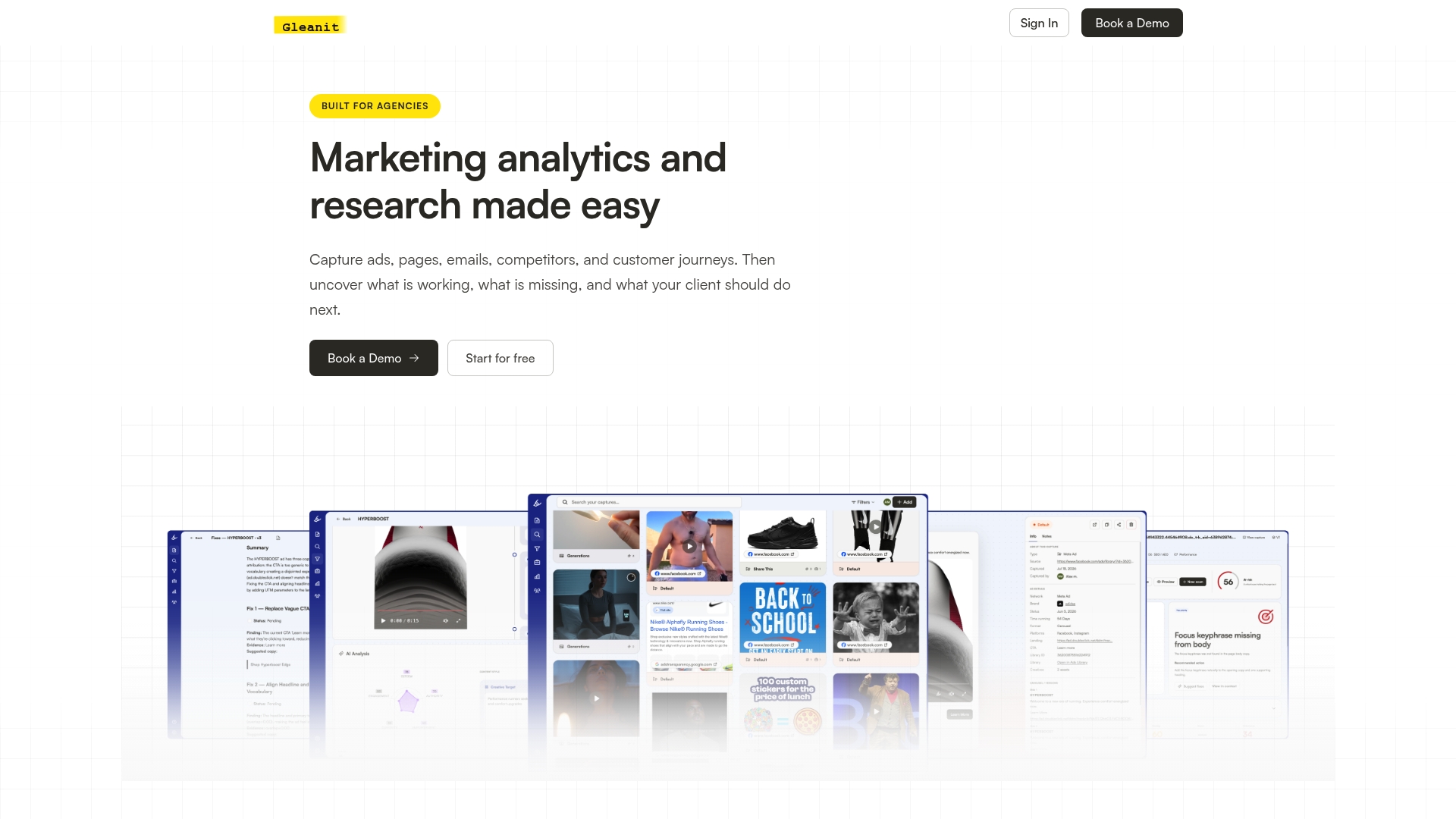
If you’re managing client accounts or running your own campaigns across multiple platforms, start with Gleanit’s platform and run a free trial against a live account. Pair it with a repeatable structure like the campaign post mortem template to turn what you catch during monitoring into documented learning your next campaign build can actually use.
Sources
- How to Manage Meta Ads: A 2026 Practitioner’s Guide
- Meta Ads Performance Tracking Guide: 2026 Best… | AdStellar
- TheMattBerman/meta-ads-kit
Recommended
- Monitor Google Ads: A Practical Checklist for Marketers
- Google Ads Competitor Research: A Practical Workflow for Marketers
- Unified Marketing Dashboard: Faster Insights for Agencies
- Campaign Post Mortem: A Repeatable Agency Template
Corrections: ovannes@hearye.co or our editorial policy.