
The fastest reliable way to monitor TikTok ads is to combine TikTok Ads Manager for native performance data, capture ttclid and structured UTMs at every click, and feed both into a consolidated dashboard that runs weekly audits and alerts. Gleanit automates this exact loop for agencies running multiple client accounts. Skip any one piece and you’re left guessing which creative actually drove revenue.
TL;DR:
- Combining TikTok Ads Manager data with structured UTMs and ttclid tracking provides a comprehensive view of which creatives drive revenue, especially when fed into an automated dashboard.
- An agency should set up custom views, segment by audience and placement, and schedule weekly exports, ensuring raw data reaches the dashboard before client meetings.
- Cross-channel comparison with Meta and Google, along with creative-level reporting, helps agencies track performance over extended periods and across platforms.
- Tracking attribution requires installing TikTok Pixel, implementing server-side Events API, and storing ttclid persistently through redirects to improve conversion accuracy.
- Automated monitoring tools like Gleanit can streamline workflows, flag funnel gaps, and prioritize fixes, freeing teams from manual data stitching and enabling faster, data-driven decisions.
Table of Contents
- Where to Find TikTok Ad Performance Data
- Why Agencies Consolidate TikTok Data Into a Dashboard
- How Should You Track Attribution Across Clicks and Conversions?
- Monitor Competitor Creative Without Guessing What’s Working
- Which TikTok KPIs Actually Signal a Problem?
- A Weekly Monitoring Workflow You Can Start This Week
- Agency Lead View: When Automation Wins and When People Still Decide
- Let Gleanit Run the Monitoring You’ve Been Doing by Hand
- Sources
- FAQ
Where to Find TikTok Ad Performance Data
TikTok Ads Manager splits performance data across two main views, and knowing which one to open saves real time during a client review. The Dashboard gives you an account-level snapshot: recommendations, ad group status, and visualized trend lines that show whether spend is climbing while conversions stall. The Campaigns page drills into campaign, ad group, and ad-level metrics, which is where you actually diagnose which creative is winning.
Both views support custom columns and date filters, so you can build a saved view that matches your standard client report instead of rebuilding filters every Monday.
For agency reporting, set up your workspace this way:
- Save a custom column set with CTR, CVR, CPA, and ROAS visible together, not spread across tabs.
- Segment by placement and by age/gender when a client’s audience skews narrow.
- Export or schedule a report pull weekly so raw numbers land in your dashboard before the Monday client call.
Why Agencies Consolidate TikTok Data Into a Dashboard
Ads Manager tells you what happened inside one account. A consolidated dashboard tells you what happened across every client account, every platform, and every week you’ve tracked. That’s the real gap it fills for agencies juggling more than two or three clients.
A dashboard adds:
- Creative-level reporting that survives past the 90-day window Ads Manager typically retains.
- Cross-channel comparison against Meta or Google spend, so a client sees the full picture, not one platform in isolation.
- White-label exports and automated snapshots instead of manual screenshotting every Friday.
Expect real limits, though. API rate limits can delay a pull during high-volume weeks, attribution windows differ between platforms, and creative metadata (hook type, format, offer) rarely comes through the API cleanly. The practical rule: use Ads Manager for raw platform checks and troubleshooting, and use a dashboard for trend analysis and anything a client actually sees.
How Should You Track Attribution Across Clicks and Conversions?
Native reporting only tells half the story once a user leaves TikTok and lands on a website, app, or CRM form. Attribution breaks down right there unless you’ve built in redundancy.
Start with the technical baseline: install the TikTok Pixel, then implement the Events API as a server-side backup. Browser-based pixels miss conversions on iOS and behind ad blockers; server-side events close most of that gap and improve match rates.
- Capture ttclid at the moment of click. Store it in a hidden form field or first-party cookie, and persist it through every redirect so it survives landing page bounces.
- Separate human-readable UTMs from TikTok’s own identifiers. Keep
utm_source=tiktokandutm_campaignstatic and readable, then storett_campaign_id,tt_adgroup_id,tt_ad_id, andtt_creative_idin dedicated custom parameters. Mixing the two makes your reporting fragile the moment a campaign gets renamed. - Assign a unique event_id to every conversion event sent through both Pixel and Events API, so TikTok deduplicates instead of double counting.
- QA before launch. Run a URL preview, click through on a real device, and check the Pixel Helper to confirm the event fires and the ttclid persists.
Pro Tip: Target a Pixel plus Events API match rate above 60 to 70 percent before you trust ROAS numbers for budget decisions. Below that, you’re optimizing against noisy data.
Monitor Competitor Creative Without Guessing What’s Working
Your own account data tells you nothing about what’s about to outperform you. TikTok Creative Center’s Top Ads and the Commercial Content Library expose real ad examples with target country and last-shown dates, and both are free. Meta Ad Library adds cross-channel context when a client also runs Meta campaigns.
Build a single audit table and update it weekly. The fields below cover what a reproducible creative-monitoring workflow actually needs.
| Field | What it captures |
|---|---|
| source / source_url | Where the ad was found and a direct link to it |
| advertiser_or_brand | Who’s running the creative |
| market_or_region | Where the ad is targeting |
| date_seen | First and most recent capture date |
| creative_summary | Plain description of the ad’s content |
| hook_pattern | The opening 2 to 3 seconds’ angle |
| cta_or_offer | Exact call to action or promo |
| format | Vertical video, carousel, spark ad, etc. |
| visible_metrics | Any public engagement signals |
| change_type | New, refreshed, or paused since last check |
| recommended_action | What your team should do about it |
- Default to a weekly check; move to daily or every six hours during a competitor’s product launch window.
- Deduplicate by source_url plus date_seen so the same ad doesn’t get logged three times.
- Turn any row marked “brief_test” into an actual creative brief before the next sprint starts.
Which TikTok KPIs Actually Signal a Problem?
Four categories of metrics matter, and most agencies watch only the first one.
Performance KPIs drive budget decisions: ROAS, CPA, CVR, and revenue per conversion. Creative and engagement KPIs explain why performance moved: CTR, 2 second and 6 second view rates, video completion, and average watch time. Delivery signals catch problems early: CPM and CPC shifts, frequency, and placement performance.
- Rising CPM paired with falling CTR is the clearest early sign of creative fatigue.
- Frequency climbing past your normal range while CVR holds flat usually means audience saturation, not a broken funnel.
- A jump in 2 second view rate with no change in completion rate often means the hook works but the offer doesn’t land.
Pro Tip: Compare your account’s CTR and CPA against published category benchmarks before deciding a campaign is underperforming. A rate that looks weak in isolation can be perfectly normal for your vertical. Checking current benchmark ranges before you panic-pause a campaign saves a lot of wasted Slack messages.
A Weekly Monitoring Workflow You Can Start This Week
Monitoring only pays off when it produces one decision a week, not a spreadsheet nobody opens.
- Monday: Refresh saved Ads Manager views, pull the weekly export, and update the competitor audit table.
- Tuesday: Tag any hook, CTA, or format changes spotted in Creative Center or the Commercial Content Library.
- Wednesday: Score each audit row against a simple matrix: save, monitor, remix, brief_test, escalate, or ignore.
- Thursday: Draft the client-ready snapshot; the account owner reviews it, the creative lead signs off on any brief_test items.
- Friday: Send the snapshot and, where the matrix flagged escalate, raise the budget or pause conversation before the weekend.
An analyst owns the data refresh, the creative lead owns anything tagged for testing, and the account owner owns what actually reaches the client. Split any of those three across people and the cadence usually collapses within a month.
Agency Lead View: When Automation Wins and When People Still Decide
Automation earns its keep on the repetitive half of this workflow: pulling exports, refreshing audit tables, flagging CPM spikes before a human would notice. It should never make the call on whether a losing creative gets one more week or gets killed. That judgment depends on client context, seasonality, and a brief the algorithm can’t read.
Treat monitoring outputs as raw material for the next creative brief and the next budget conversation, not the decision itself. Gleanit’s own competitor audit workflow is built around that split, and it’s the right one.
— Ovannes
Let Gleanit Run the Monitoring You’ve Been Doing by Hand
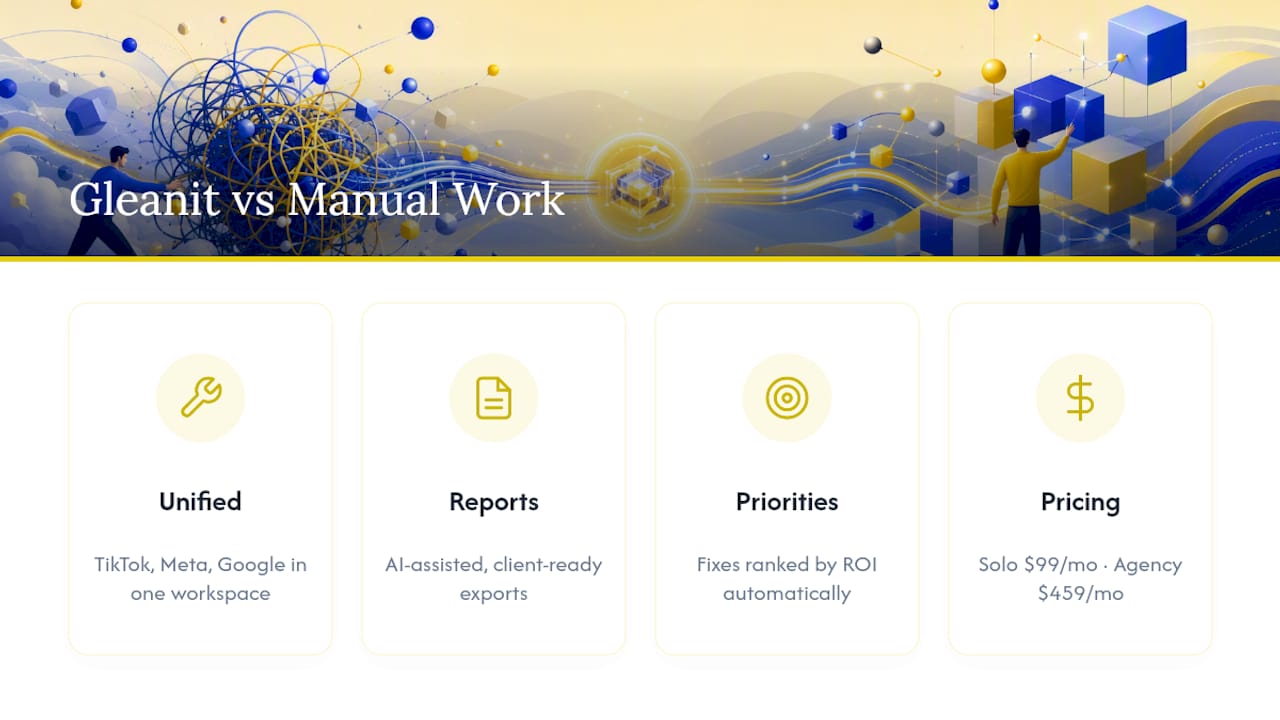
If your team is still stitching together Ads Manager exports, a separate spreadsheet for ttclid tracking, and a third tool for competitor screenshots, that’s three workflows doing one job badly. Gleanit runs automated ad monitoring across TikTok, Meta, and Google in one workspace, flags funnel gaps automatically, and ranks fixes by ROI instead of leaving your analyst to eyeball a spreadsheet.
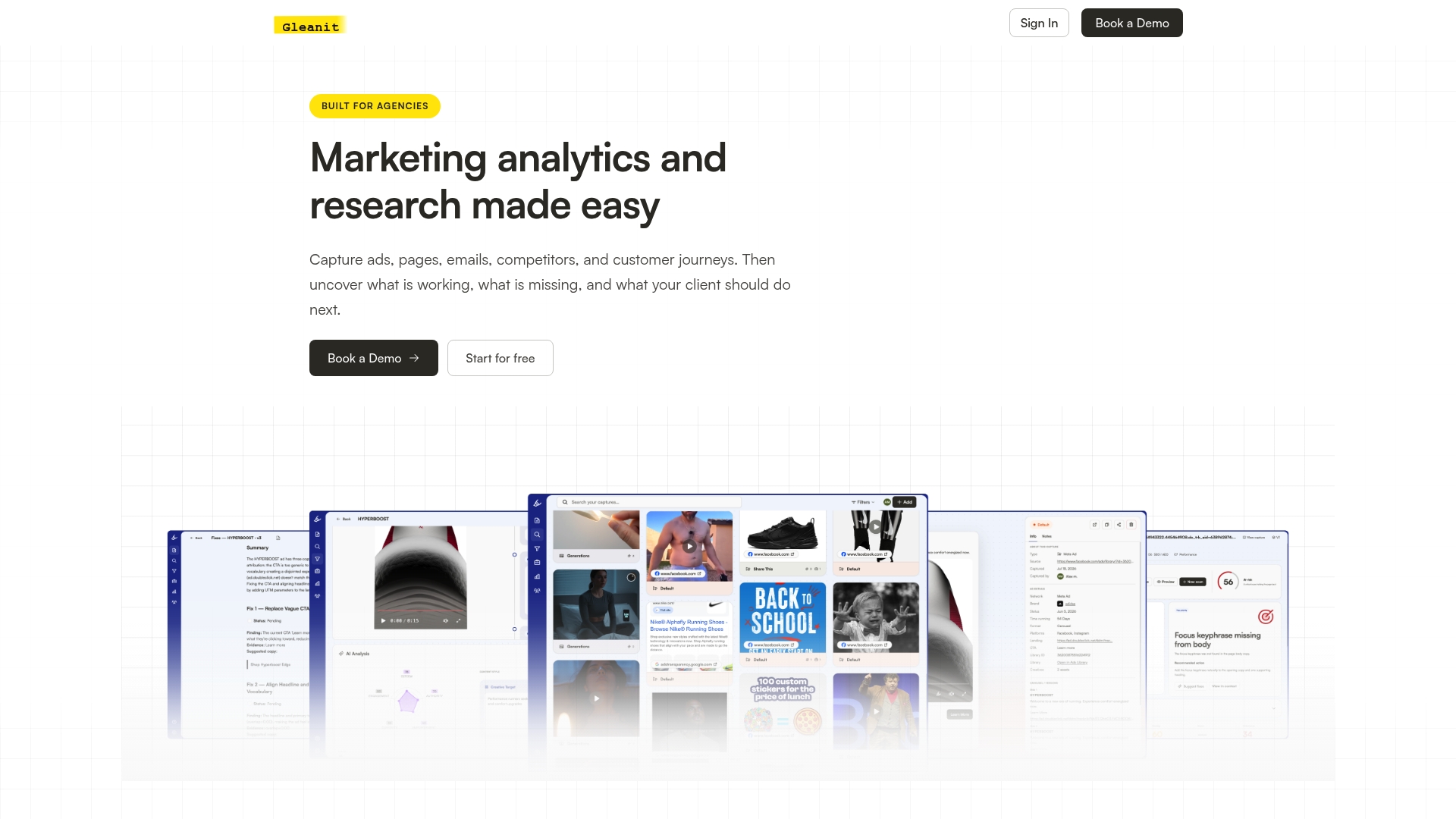
Every account gets client-dedicated workspaces, AI-assisted report generation, and exports built for handing straight to a client, not reformatted first. If you’re deciding whether to scale weekly audits across more accounts, preserve ttclid and UTM data across a client’s full funnel, or just get a prioritized test brief faster than your current process allows, this is built for exactly that. Plans start with Solo at $99 per month for individual operators, with an Agency plan at $459 per month for teams managing multiple clients.
Start with a free ad audit on one active TikTok campaign and see what a prioritized fix list looks like before you commit to anything.
Sources
For platform-level detail beyond this workflow, check TikTok’s Ads Manager reporting documentation, the Events API and Pixel setup guide, and a 30-minute Ad Library workflow for building your first audit table.
- How to see your ads performance | TikTok Ads Manager
- TikTok Ads Dynamic URL Parameters: UTM Templates, ttclid, and Attribution Workflow | MetricFixer
- TikTok Pixel Setup Guide 2026: Events API & Server-Side Tracking | PxlPeak Docs
- TikTok Ad Monitoring: Track Competitor Creatives Weekly | BrowserAct
FAQ
How do you see what ads you saw on TikTok?
TikTok shows users an “Ad Preferences” or “Why this ad” option inside the app menu on any ad they encounter, but there’s no full historical archive of every ad a specific user has seen. Advertisers, by contrast, see their own delivered creative directly inside TikTok Ads Manager’s Campaigns view.
Why does TikTok feel like it’s mostly ads now?
Ad density varies by account and region rather than following one fixed ratio, and TikTok has not published a figure confirming any specific percentage of feed content is advertising. What agencies notice more reliably is rising CPMs in competitive verticals, which is a real signal worth tracking against published benchmarks.
Can TikTok ad activity be monitored?
Yes. Advertisers track their own campaigns through Ads Manager, and anyone can monitor competitor creative through the Creative Center’s Top Ads and Commercial Content Library, which show real ad examples with market and date data.
Does TikTok pay $1 per 1,000 views?
That figure applies to the Creator Fund and organic content payouts, not to advertising. It has no bearing on ad monitoring or ad performance metrics, which are governed entirely by campaign bidding and delivery in Ads Manager.
What’s the minimum tracking setup before running TikTok ads at scale?
Install the Pixel, add the Events API as a server-side backup, and capture ttclid on every click before you spend meaningfully. Skipping the server-side layer typically means losing a meaningful share of conversions to ad blockers and iOS tracking limits.
Recommended
- One Afternoon TikTok Competitor Audit for Agencies, When to Automate
- 30 Minute TikTok Ad Library Workflow for Agencies
Corrections: ovannes@hearye.co or our editorial policy.