“TikTok ad library” actually refers to two separate official tools: TikTok Creative Center’s Top Ads dashboard for creative inspiration, and the Commercial Content Library for regulatory transparency. If you run US campaigns, start with Creative Center Top Ads — the transparency library only covers ads targeted to the EEA, Switzerland, and the UK, so most US creative won’t show up there at all.
TL;DR:
- The TikTok Creative Center’s Top Ads dashboard provides global performance metrics and trending formats for US campaigns, while the Commercial Content Library only covers ads targeted to Europe, Switzerland, and the UK.
- Accessing the Creative Center is free and open to anyone with a TikTok Business account, but the Commercial Content Library requires no login for basic searches, though advanced features may prompt sign-in.
- Ads generally appear in the Commercial Content Library within 24 hours and stay for up to one year after their last impression, but US-targeted ads are rarely included.
- Search effectiveness improves by filtering results first by region, industry, and objective, then reviewing a short date range to find current winning creatives.
- Using structured research workflows and third-party tools can speed up creative discovery, but manual logging and verification remain necessary due to limited metadata accuracy and coverage gaps.
Table of Contents
- Creative Center Vs Commercial Content Library: Which One Do You Need?
- How to Access and Search Both Official TikTok Ad Tools
- What TikTok Ad Data Actually Tells You
- A 30-Minute Research-to-Brief Workflow You Can Run Today
- Where the Data Runs Out and How to Work Around It
- Pro Tips: Shortcuts That Save Real Research Time
- How Agencies Should Actually Operationalize This
- Automate the Research You’re Currently Doing by Hand
- Where to Verify This Yourself
- Sources
- FAQ
Creative Center Vs Commercial Content Library: Which One Do You Need?
Both tools get lumped together as “the TikTok ad library,” but they solve different problems. Creative Center’s Top Ads dashboard exists for inspiration. It surfaces high-performing auction ads globally, complete with relative performance metrics like CTR and 6-second view rate, plus trend tools for sounds and hashtags. The Commercial Content Library exists for transparency. It stores paid ads targeted to specific markets so regulators, researchers, and competitors can see who’s running what.
The coverage split matters more than most guides admit. Creative Center works worldwide and needs no advertiser relationship to browse. The Commercial Content Library only holds ads targeted to the European Economic Area, Switzerland, and the UK, built specifically to satisfy EU transparency rules. A US-only campaign simply won’t appear there.
Here’s how to decide which tool fits your task:
- Need creative inspiration or trending formats for a US campaign? Use Top Ads.
- Researching a competitor who advertises in Europe or the UK? Check the Commercial Content Library at library.tiktok.com/ads.
- Want performance signals like estimated CTR? Only Top Ads shows those.
- Need exact spend or targeting transparency? The Commercial Content Library covers that, but only for in-scope regions.
How to Access and Search Both Official TikTok Ad Tools
Creative Center is open to anyone with a browser and a free TikTok for Business account; no active ad spend is required to browse Top Ads. The Commercial Content Library lives at library.tiktok.com/ads and requires no login at all for basic searches, though advanced export options may prompt you to sign in.
Set these filters first, in this order:
- Region — narrow to your target market before anything else, since both tools default to broad or global views that bury relevant results.
- Industry — TikTok’s industry taxonomy is broad, so pick the closest match rather than searching for a perfect fit.
- Objective — filter by conversion, app install, or awareness depending on what your brief needs.
- Date range — a short window (7 to 14 days) surfaces what’s currently running rather than stale creative from months ago.
For search terms, advertiser names work better than product keywords in the Commercial Content Library, since ad copy indexing is inconsistent. Avoid quoting exact phrases. A broader, unquoted search catches more variants. Creative Center doesn’t support advertiser-name search the same way. Rely on its industry and objective filters instead.
Neither tool offers a native “save to swipe file” button. Creative Center lets you bookmark ads within your account, but for a shared team resource, manually logging the ad link, screenshot, and metadata into a shared doc or a dedicated swipe-file tool remains the practical workaround.
Pro Tip: Run your date-range search twice: once for “currently active” and once for “last 30 days.” Ads that appear in both windows are your strongest signal of a creative that’s earning its keep.
What TikTok Ad Data Actually Tells You
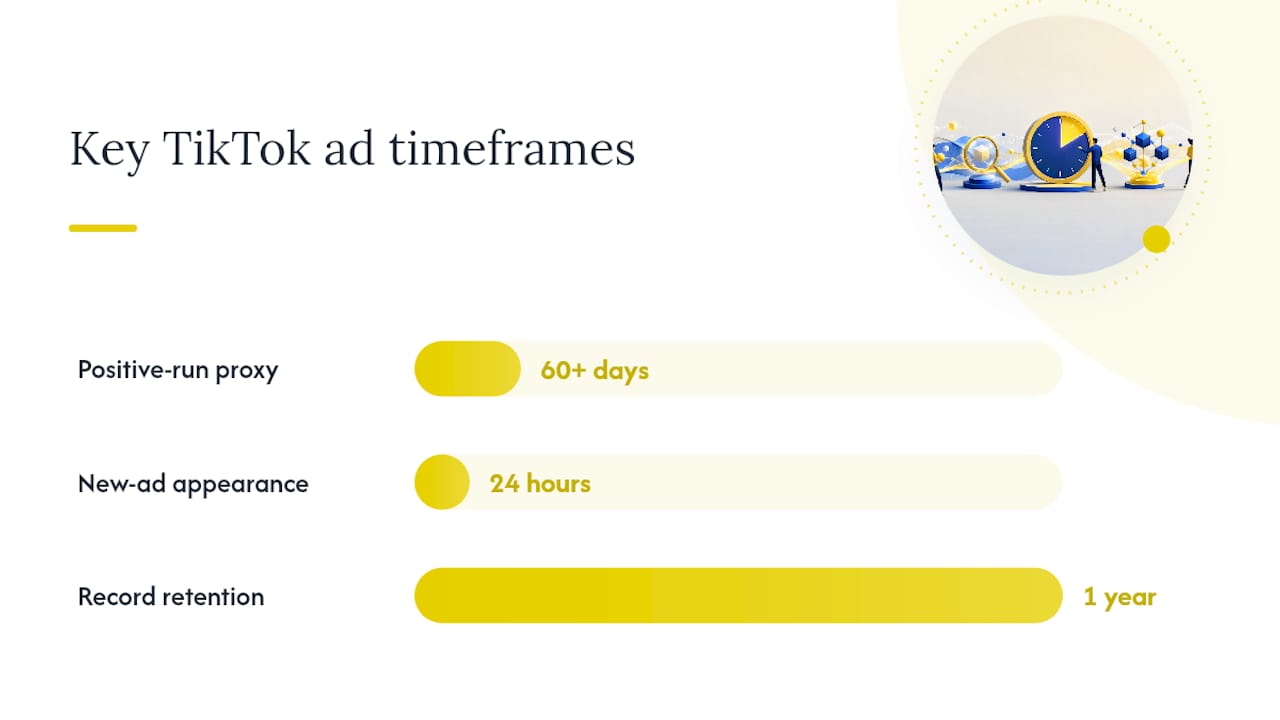
The raw fields in both tools mean little until you know how to read them. Run length is the single best free proxy for effectiveness: an ad that’s been live for 60-plus days almost certainly has a positive return, because advertisers pull losing creative fast. The Commercial Content Library logs “first shown” and “last shown” dates for exactly this reason.
Reach ranges in the Commercial Content Library estimate audience size, not spend, but the two correlate loosely. A wide reach range paired with a long run length suggests real budget behind it. A narrow range with a short run suggests a test that likely failed.
Metadata reliability varies:
- Advertiser name and run dates are usually accurate and consistently populated.
- Ad copy and landing page URLs are frequently missing or broken.
- Targeting details in the Commercial Content Library are more complete than in Top Ads, which shows none.
New ads typically appear in the Commercial Content Library within 24 hours of going live, and TikTok retains each ad’s record for one year after its last impression.
For Top Ads, weigh CTR and 6-second view rate as directional signals when deciding what to brief, not as guarantees. They’re relative metrics TikTok calculates internally, not raw performance data you can verify independently.
A 30-Minute Research-to-Brief Workflow You Can Run Today
Turning scattered ad examples into a testable brief doesn’t need a week. It needs a timer and a system.
- Minutes 0 to 15: Watch 15 to 20 top-performing ads in your industry and objective filter. Log the hook (first 2 to 3 seconds), format (UGC, talking head, product demo), and run length for each.
- Minutes 15 to 20: Tag every ad using a shared taxonomy: hook type, format, CTA style, and whether it’s creator-made or brand-produced. This tagging structure is what lets a team hand off findings without a debrief meeting.
- Minutes 20 to 25: Rank patterns by three signals: how many variants of the same idea you found, how long the top examples have run, and whether the concept shows up across multiple markets.
- Minutes 25 to 30: Convert your top patterns into an experiment matrix, pairing each hook with different format variations.
Prioritization comes down to a simple rule: an idea with multiple variants, a long run length, and cross-market reuse beats a single clever example every time. Structured, time-boxed research sessions like this one consistently outperform open-ended scrolling because they force a decision at the end, not just a list of screenshots.
- Log the brief in your team’s shared doc with hook, format, CTA, and expected KPI.
- Assign each variant to a production slot before the meeting ends, not after.
Where the Data Runs Out and How to Work Around It
The biggest gap for US teams is coverage. The Commercial Content Library’s EEA, Switzerland, and UK focus means competitor ads running only in the United States simply don’t exist there, no matter how you search. Neither official tool offers a public API or a bulk-download option, so anything beyond casual browsing means manual logging, and scraping either tool risks account restrictions or blocked access.
Metadata gaps compound this. Broken video playback and missing ad copy show up often enough that you should treat every saved ad as a lead to verify, not a finished data point. Before you brief a creative off a saved example, check that the video still plays and the landing page still resolves.
- Cross-check advertiser names against the brand’s actual TikTok profile to confirm the ad is genuine.
- Screenshot everything the moment you find it, since ads can disappear before your next session.
- Consider a paid third-party archive only when you need bulk historical data or reliable US coverage that the free tools can’t provide, and weigh that cost against how often your team actually needs archived (not current) creative.
Pro Tips: Shortcuts That Save Real Research Time
Pairing Creative Center’s industry and objective filters together, rather than searching one at a time, surfaces relevant hooks faster than browsing unfiltered. Run length and cross-market reuse remain the two strongest free signals of a creative that’s actually working. Prioritize ideas that run 60-plus days or appear in multiple countries over anything that looks clever but shows up once.
- Keep a live tracker of every creative you’re running, with launch dates, so you catch fatigue before performance drops visibly.
- Reserve paid third-party tools for bulk historical pulls or US coverage gaps, not day-to-day browsing.
Pro Tip: Set a recurring 30-minute block every two weeks for Top Ads review. Ad libraries change fast, and a stale swipe file is worse than no swipe file.
How Agencies Should Actually Operationalize This
Treat ad-library research as a monthly cycle, not a one-off task: research, brief, produce, measure, repeat. Skip a month and your swipe file goes stale fast. This is exactly the gap Gleanit’s automated ad monitoring is built to close, feeding fresh competitor signals directly into funnel gap detection instead of waiting on a manual scroll session. Watch CTR lift and hook retention after each test round. Those two numbers tell you faster than anything else whether the pattern you found actually holds.
— Ovannes
Automate the Research You’re Currently Doing by Hand
Manually logging ads into a doc works until you’re tracking ten competitors across three platforms, and then it falls apart. Some tools support automated ad monitoring across platforms that catch new competitor creative upon launch, organizing it into a shared swipe file your team can tag and search.
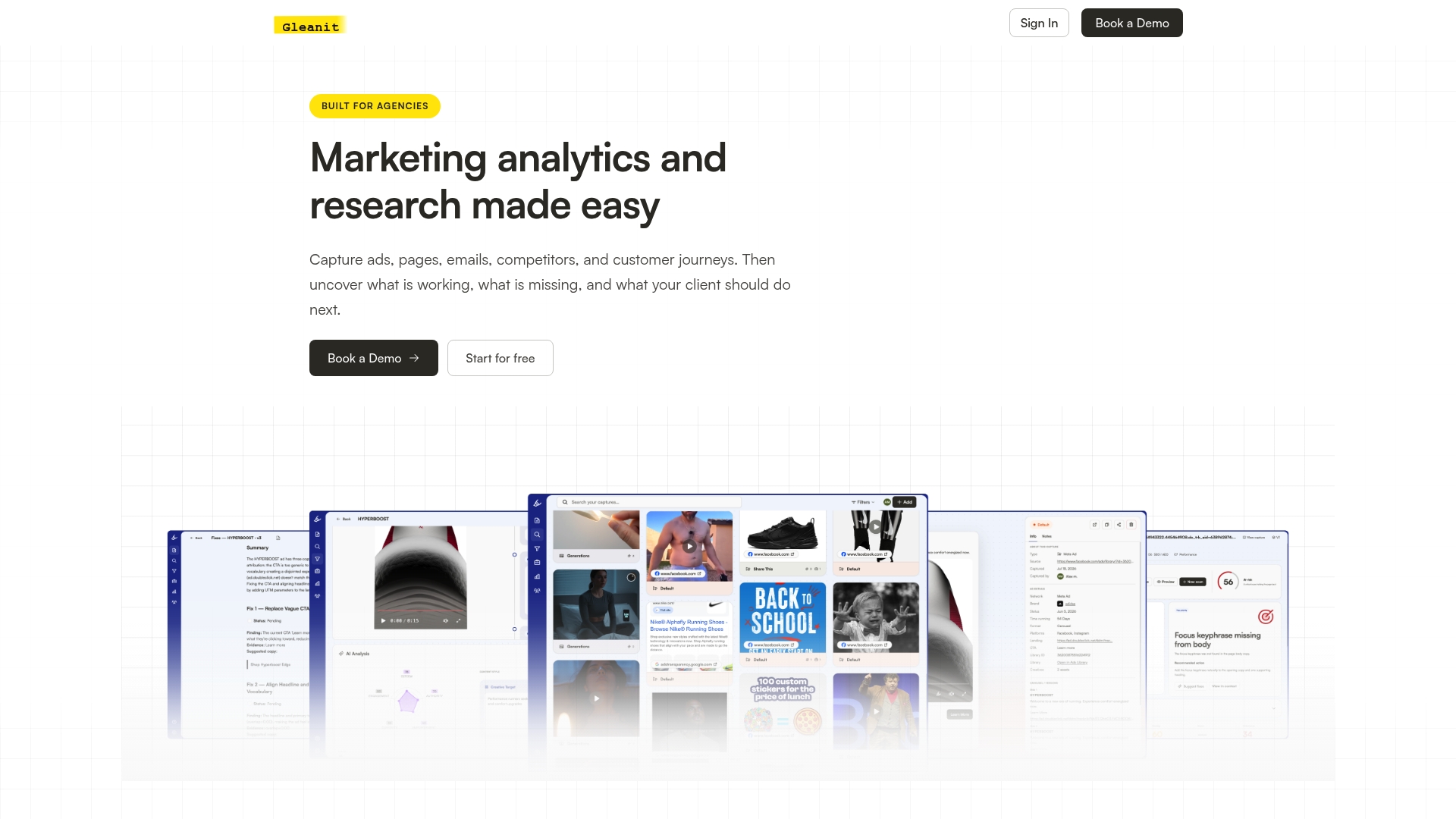
Instead of running a 30-minute research sprint every two weeks, Gleanit surfaces the same run-length and cross-market signals automatically, then prioritizes which findings are worth a brief based on funnel gap detection. Agencies use it to turn scattered ad libraries into a single connected view across every client account, with AI-assisted reporting that saves the write-up time most teams lose after research. If your team is still copying ad links into a spreadsheet, start a free trial at Gleanit and see what a live, unified monitoring feed looks like instead.
Where to Verify This Yourself
- TikTok’s Commercial Content Library documentation on coverage and retention rules.
- Creative Center’s Top Ads dashboard for live examples.
- TikTok Ads in 2026: Strategy, Costs & Best Practices for current creative benchmarks.
Sources
- TikTok Ad Library: How to Research Competitor Ads on TikTok
- Top Ads: high-performing auction ads
- How to Use the TikTok Ads Library for Research (The Right Way)
- TikTok Ads in 2026: Strategy, Costs & Best Practices
FAQ
Is There One Single TikTok Ad Library?
No. TikTok maintains two separate tools: Creative Center’s Top Ads dashboard for inspiration and the Commercial Content Library for regulatory transparency, each with different coverage and data.
Does the Commercial Content Library Cover US-Targeted Ads?
No. It only stores ads targeted to the European Economic Area, Switzerland, and the UK, so US-only campaigns won’t appear regardless of search terms.
How Long Do Ads Stay in the Commercial Content Library?
Ads typically appear within 24 hours of launch and remain in the library for one year after their last impression.
Can I Download or Export Ads in Bulk From Either Tool?
No. Neither tool offers a public API or bulk-download feature, so any large-scale tracking requires manual logging or a paid third-party archive.
What’s the Fastest Way to Turn Ad Library Research Into a Brief?
Run a time-boxed session watching 15 to 20 top ads, tag them by hook and format, then convert the strongest patterns into a testable experiment matrix, or let a tool like Gleanit automate the monitoring and prioritization for you.
Recommended
- TikTok Ads Benchmarks for US Marketers in 2026
- The LinkedIn Ad Library Guide Every Marketer Needs
- Google Ads Transparency Guide for Marketers: Workflow & Tricks
- Google Ads Competitor Research: A Practical Workflow for Marketers
Corrections: ovannes@hearye.co or our editorial policy.