
Use lowercase, dash-separated values with a controlled vocabulary for utm_source and utm_medium, and always include utm_source, utm_medium, and utm_campaign on every tagged link. That single rule set, applied consistently, prevents the data fragmentation that quietly destroys attribution accuracy. Here are the five non-negotiables your team needs before tagging a single link:
- Lowercase everything. GA4 treats
Facebookandfacebookas two separate sources. One typo splits your channel row. - One separator only. Pick hyphens (
-) and never mix in underscores or spaces. Spaces encode as%20and break parsers. - Align
utm_mediumto GA4 default channel groupings. Values likecpc,email,organic, andpaid-socialmap cleanly; invented values likepromoorblastland in Unassigned. - Require
utm_source,utm_medium, andutm_campaignon every link. These three are the minimum GA4 needs for reliable channel attribution, per Google’s own documentation. - Document allowed values in a shared registry. A rule no one can look up is a rule no one follows.
For campaign names, use the pattern [program]-[product]-[audience]-[YYYY-MM] so reports sort chronologically and year-over-year comparisons don’t require archaeology. When you’re importing cost data, add utm_id to match spend to sessions. Start building tagged links with Google’s Campaign URL Builder or a locked spreadsheet template, and keep your allowed-values registry in a shared Google Sheet your whole team can access.
Pro Tip: Lock the source and medium dropdown values in your spreadsheet template using data validation. That one step eliminates the most common tagging errors before they happen.
Key Takeaways
Consistent UTM naming conventions require lowercase values, a single separator, GA4-aligned medium terms, and a shared registry of approved values enforced through locked templates and monthly audits.
| Point | Details |
|---|---|
| Lowercase is non-negotiable | GA4 treats Facebook and facebook as separate sources, splitting channel rows and distorting ROAS. |
Align utm_medium to GA4 groupings |
Values like cpc, email, and paid-social map cleanly; invented values land in Unassigned. |
| Date your campaign names | The pattern [program]-[product]-[audience]-[YYYY-MM] makes year-over-year filtering instant. |
| Registry beats rules alone | A shared approved-value registry with audit history is what makes a convention durable at scale. |
| Gleanit automates drift detection | Gleanit monitors UTM values across platforms and flags anomalies before they compound in reports. |
Table of Contents
- What are the five UTM parameters and how does GA4 read them?
- Why do UTM naming conventions prevent costly data fragmentation?
- Which UTM naming model fits your team’s scale?
- The UTM naming best practices checklist every team needs
- Which tools actually enforce UTM conventions at scale?
- How to roll out and govern a UTM taxonomy at scale
- Ready-to-use UTM naming templates for common channels
- What are the most common UTM mistakes and how do you fix them?
- How do you test and validate UTM tags before and after launch?
- Why enforceability beats elegance in UTM governance
- Gleanit keeps your UTM taxonomy clean automatically
- Sources
What are the five UTM parameters and how does GA4 read them?
UTM parameters are five URL query strings that tell your analytics platform where a session came from and which campaign drove it. Without them, direct and referral traffic absorb clicks that should be credited to paid campaigns, and your attribution model is guessing.
The five parameters:
utm_source— the origin platform or publisher (google,facebook,newsletter-weekly)utm_medium— the marketing channel type (cpc,email,paid-social,organic)utm_campaign— the specific campaign name or ID (spring-sale-2025-04)utm_term— the paid keyword or audience segment, primarily for search (running-shoes)utm_content— the creative variant or ad placement, used for A/B differentiation (hero-banner-v2)
A complete tagged URL looks like this:
https://example.com/landing?utm_source=facebook&utm_medium=paid-social&utm_campaign=spring-sale-2025-04&utm_content=hero-banner-v2
GA4 reads these values at session start and attributes the session to the campaign until the attribution window closes (default: 30 days for non-direct channels). Two things matter here. First, GA4 is case-sensitive: Facebook and facebook create separate rows in every acquisition report. Second, GA4’s default channel groupings rely on specific utm_medium values to classify traffic correctly. If utm_medium doesn’t match a recognized value, the session lands in the Unassigned channel, which makes your channel-level ROAS analysis unreliable. Only utm_source, utm_medium, and utm_campaign are required by GA4, but omitting utm_term and utm_content leaves money on the table for paid search and creative testing.
Why do UTM naming conventions prevent costly data fragmentation?
Consistent UTM naming keeps acquisition data trustworthy. When values drift, the same traffic source appears as multiple rows in GA4, ROAS calculations break, and budget decisions get made on bad numbers.
The failure modes are predictable:
- Case drift:
facebook,Facebook, andFBeach create a separate source row. A campaign that spent $50,000 across three months looks like three smaller, underperforming campaigns. - Medium mismatches: Using
socialinstead ofpaid-socialpulls paid social clicks into the wrong channel grouping, inflating organic social numbers and deflating paid ROAS. - Campaign name collisions: Running
summer-salein 2024 and again in 2025 without a date segment merges two years of data into one campaign row. Year-over-year comparison becomes impossible.
Consider a concrete scenario: a paid social manager tags a campaign as utm_source=Facebook (capital F) while a second manager uses utm_source=facebook. GA4 splits the sessions. The reporting dashboard shows two sources, each with half the actual spend and half the actual conversions. The ROAS for each looks weak. The team cuts budget on what is actually a profitable channel.
According to practitioner guidance from Terminus, enforcing lowercase alone eliminates roughly 30% of taxonomy drift, making it the single highest-return formatting rule. That figure comes from practitioner estimates, not a controlled study, but anyone who has audited a messy GA4 account will recognize the pattern immediately.
Privacy constraints add another layer. As cross-site tracking tightens under browser restrictions and evolving industry standards tracked by bodies like the Network Advertising Initiative, UTM-based first-party attribution becomes more valuable, not less. A clean taxonomy is the foundation that makes that data usable.
Which UTM naming model fits your team’s scale?
For most mid-to-large marketing teams, a Positional model with a controlled vocabulary gives the best balance of readability and parsing reliability. Pure cryptic keys are fast to type but unreadable in reports; pure key-value strings are self-documenting but verbose and error-prone at scale.
UTM Generator’s naming convention guide describes three canonical models, each with distinct trade-offs:
| Model | Readability | Scalability | Parsing effort | Error surface | Example utm_campaign |
|---|---|---|---|---|---|
| Cryptic | Low | High | Low | Low | ps-fb-q2-ret |
| Positional | Medium | High | Medium | Medium | paid-social-facebook-q2-2025-retargeting |
| Key-Value | High | Medium | High | High | channel=paid-social_platform=facebook_period=q2-2025_goal=retargeting |
Cryptic model: Short codes like ps-fb-q2-ret are compact and fast to generate, but they require a lookup table to decode. New team members and clients can’t read them without a key. Works well for high-volume ad platforms where URL length matters, but it creates a documentation dependency that breaks down when the key is lost.
Positional model: Fixed-position segments separated by hyphens give you readable values that sort well in reports. The trade-off is that position matters, so a missing segment shifts every value after it. Teams need a strict template to keep positions consistent.
Key-Value model: Self-describing strings like channel=paid-social_platform=facebook are the most transparent, but they’re long, hard to type manually, and easy to corrupt with inconsistent key names. Best suited to teams with locked builders that generate values automatically.
Pro Tip: E-commerce teams with many SKUs do well with Positional (product and date are natural fixed segments). SaaS teams tracking funnel stages often prefer Key-Value because the stage label is meaningful in reports. Agencies managing multiple clients should add a client code prefix to any model: clientA-paid-social-facebook-2025-04.
The UTM naming best practices checklist every team needs
The single most important rule: use lowercase, one separator, and a controlled vocabulary for source and medium on every link, every time. Everything else builds on that foundation.
Formatting rules
- Lowercase all values. No exceptions.
google, notGoogle;email, notEmail. - Use hyphens as the only separator. Underscores are allowed by the spec but create inconsistency when mixed with hyphens. Spaces break URLs.
- No special characters except hyphens. Avoid
&,+,#,%, or punctuation in parameter values. - Keep values short but descriptive.
paid-socialbeatspaid_social_advertising_channel. - No trailing slashes or
.comsuffixes in source values.google, notgoogle.com.
Allowed vs. disallowed examples
| Parameter | Allowed | Disallowed |
|---|---|---|
utm_source |
facebook, google, newsletter |
Facebook, FB, google.com |
utm_medium |
cpc, email, paid-social, organic |
Social, promo, blast, ad |
utm_campaign |
spring-sale-2025-04 |
Spring Sale, SpringSale, sale |
utm_content |
hero-banner-v2, text-link-footer |
Banner, v2, ad1 |
GA4-aligned utm_medium values
UTM.io’s 21-point checklist recommends aligning utm_medium directly to GA4’s default channel groupings. The recognized values that map cleanly: cpc, ppc, email, organic, referral, social, paid-social, display, affiliate, sms, push, video. Anything outside this list risks landing in Unassigned.
Campaign naming pattern
Use [program]-[product]-[audience]-[YYYY-MM]. For example: brand-awareness-saas-smb-2025-04. The date segment at the end sorts chronologically in every report and makes year-over-year filtering a two-second filter operation rather than a manual reconciliation.
utm_content and utm_term guidelines
- Use
utm_contentto differentiate creatives within the same campaign:hero-v1,hero-v2,sidebar-cta. - Use
utm_termfor paid search keywords or audience segment labels, not for general descriptors. - Both fields are optional, but if you use them, apply the same lowercase and hyphen rules.
utm_id and dynamic macros
Pro Tip: Add utm_id when importing cost data into GA4 from platforms like Google Ads or Meta. The utm_id value ties the session to the specific ad spend record, which is what makes ROAS calculations accurate at the campaign level. Use platform macros like {campaignid} in Google Ads to populate it automatically, so the value is never typed by hand.
For paid social platforms, use dynamic value insertion where available ({{adset.name}}, {{ad.name}} in Meta) to populate utm_content and utm_term automatically. Manual entry at scale is where conventions break down fastest.
Which tools actually enforce UTM conventions at scale?
The most reliable approach combines a locked template (spreadsheet or builder) with a GA4 audit query run monthly. No single tool does everything, but the right combination makes the right behavior automatic.
UTM builder tools vary widely in how much enforcement they offer. Here’s how the main options compare:
-
Google Campaign URL Builder: Free, no login required, and directly linked to Google’s documentation. The downside is that it enforces nothing. Any value goes in any field, so it’s only as good as the person using it. Best for small teams with disciplined tagging habits.
-
UTM.io: A dedicated UTM management platform with team workspaces, a shared registry of approved values, and link shortening. It enforces conventions by limiting what values creators can enter. The registry feature is the main reason to pay for it over a free builder.
-
Spreadsheet templates (Google Sheets or Excel): A locked template with data-validation dropdowns for source, medium, and campaign prefix is often the fastest win for teams already living in Google Workspace. The template concatenates values into a final URL using a formula, so creators never type raw parameter strings. Host it in a shared Drive folder with edit access restricted to the analytics lead.
-
Google Tag Manager (GTM): GTM can enforce UTM values at the tag level by reading URL parameters and overriding or flagging non-conforming values before they hit GA4. This requires a developer or experienced GTM user to set up, but it’s the most reliable enforcement layer for high-traffic sites where tagging errors are expensive.
-
Automation scripts: A short Google Apps Script or Python script can scan a list of URLs, validate parameter values against an approved registry, and flag violations before links go live. Useful for agencies managing hundreds of links per month.
For a starter template, build a Google Sheet with columns for utm_source, utm_medium, utm_campaign, utm_content, utm_term, utm_id, and a CONCATENATE formula that assembles the final URL. Add data validation dropdowns to the source and medium columns using your approved value list. Share it with view-only access for most users and edit access for the analytics lead only.
How to roll out and govern a UTM taxonomy at scale
The governance verdict: a single source-of-truth registry, enforced templates, and monthly audits. Without all three, conventions drift within weeks of launch.
Rollout checklist
- Draft the rules. Write a one-page document covering the five non-negotiables, the campaign naming pattern, and the approved source/medium values. One page only. Long manuals don’t get read.
- Build the registry. Create a shared spreadsheet with every approved value for
utm_source,utm_medium, and campaign prefixes. Include a “status” column (active/deprecated) and a “notes” column for context. - Lock the builder template. Build the Google Sheet template with data validation dropdowns pulling from the registry. Restrict edit access.
- Train creators. A 20-minute walkthrough beats a 10-page PDF. Record it for async teams.
- Automate QA. Set up a monthly GA4 Traffic Acquisition report filtered to show source/medium combinations not in the approved registry. Flag anything new.
- Schedule audits. Monthly for active campaigns; quarterly for the full registry. LinkUTM’s guidance recommends monthly audits as the minimum cadence for teams running more than a handful of campaigns.
Registry schema
| Column | Example value | Notes |
|---|---|---|
parameter |
utm_source |
Which UTM field this row governs |
approved_value |
facebook |
Lowercase, no special characters |
channel_group |
Paid Social |
Corresponding GA4 channel grouping |
status |
active |
Active or deprecated |
added_by |
analytics-lead |
Accountability trail |
date_added |
2025 |
For audit history |
notes |
Use for all Meta paid placements |
Context for creators |

Pro Tip: Add a “deprecated” status to old values rather than deleting them. Historic data still carries those values, and you’ll need the registry to explain what they meant during audits.
Audit and QA queries in GA4
In GA4, go to Reports > Acquisition > Traffic Acquisition. Set the primary dimension to Session source / medium. Export the full list and compare it against your approved registry. Any row not in the registry is a violation. Common patterns to look for: capitalized source values, (not set) medium rows (missing utm_medium), and campaign names without a date segment.
For a faster check, use GA4’s Explore feature with a free-form report: dimension Session campaign, filter to the current month, and look for values that don’t match your [program]-[product]-[audience]-[YYYY-MM] pattern.
Ready-to-use UTM naming templates for common channels
These templates are ready to adapt. Pick the channel, swap in your values, and apply the same lowercase-hyphen rules throughout.
Channel mapping and example URLs
| Channel | utm_source |
utm_medium |
utm_campaign example |
utm_content example |
|---|---|---|---|---|
| Paid Search (Google) | google |
cpc |
brand-search-2025-04 |
headline-v1 |
| Paid Social (Meta) | facebook |
paid-social |
spring-sale-smb-2025-04 |
carousel-v2 |
| Email (newsletter) | newsletter |
email |
product-launch-existing-2025-04 |
cta-button-top |
| Organic Social | linkedin |
social |
thought-leadership-2025-04 |
post-video |
| Affiliate / Partner | partner-name |
affiliate |
referral-program-2025-04 |
sidebar-banner |
Full URL examples
Paid search:
https://example.com/demo?utm_source=google&utm_medium=cpc&utm_campaign=brand-search-2025-04&utm_term=marketing-analytics&utm_content=headline-v1
Email campaign:
https://example.com/offer?utm_source=newsletter&utm_medium=email&utm_campaign=product-launch-existing-2025-04&utm_content=cta-button-top
Paid social (Meta):
https://example.com/landing?utm_source=facebook&utm_medium=paid-social&utm_campaign=spring-sale-smb-2025-04&utm_content=carousel-v2
CSV registry template columns
For your shared registry file, include these columns: link_id, destination_url, utm_source, utm_medium, utm_campaign, utm_term, utm_content, utm_id, full_tagged_url, created_by, date_created, status, notes. The link_id column gives each link a unique identifier for QA matching. Map utm_source and utm_medium to your GA4 channel grouping column so the registry doubles as a channel-mapping reference.
For agencies, consistent UTM tagging across multi-channel campaigns is especially critical when multiple platforms fire simultaneously. A client code prefix (clientA-) in utm_campaign keeps client data cleanly separated in shared GA4 properties.
What are the most common UTM mistakes and how do you fix them?
Most problems trace back to four root causes: inconsistent case, mixed separators, wrong field usage, and missing required parameters. The fixes are straightforward once you know where to look.
-
Capitalization errors: Find them in GA4 Traffic Acquisition by sorting source/medium rows alphabetically. Capitalized variants appear adjacent to their lowercase counterparts. Fix going forward by locking your builder. Historic data can’t be retroactively corrected in GA4, but you can document the mapping in your registry so analysts know
Facebookandfacebookare the same source. -
Mixed separators: A campaign named
spring_sale-2025breaks positional parsing. Audit by exporting campaign names and running a regex check for underscores in values that should use hyphens. Fix in the builder template by stripping underscores from the concatenation formula. -
Wrong
utm_mediumvalues:promo,social-media, andpaidare common offenders that land in Unassigned. Cross-reference your medium values against GA4’s channel grouping definitions. Update the registry and retag active links. Don’t retag completed campaigns; document the mapping instead. -
Missing
utm_campaign: Sessions withutm_sourceandutm_mediumbut noutm_campaignshow as(not set)in campaign reports. This usually happens when someone copies a partial URL. The fix is a pre-publish checklist that validates all three required fields before a link goes live. -
Overloading
utm_campaign: Stuffing creative variant, audience, and goal all intoutm_campaignmakes the field unreadable and breaks the naming pattern. Move creative differentiation toutm_contentand audience labels toutm_term.
Remediation steps for legacy data
- Export all active tagged URLs from your link registry or a GA4 Traffic Acquisition export.
- Flag every URL that violates the current rules (case, separator, missing fields).
- For live links (in emails, ads, or landing pages), create corrected versions and update the placements.
- For completed campaigns, add a mapping note in the registry. Don’t alter the historic data.
- Update the builder template to prevent the same errors going forward.
AdRoll’s UTM best practices guide stresses that documenting allowed values and auditing consistently are the two steps teams most often skip, and they’re the two steps that prevent the same errors from recurring.
How do you test and validate UTM tags before and after launch?
Test links in a staging GA4 property and with GTM preview mode before any link goes live. A bad tag that ships to 100,000 email recipients can’t be fixed retroactively.
Pre-launch checklist
- Validate URL encoding. Paste the full tagged URL into a browser address bar and confirm it loads correctly. Spaces and special characters that weren’t encoded will break the URL or strip the parameters.
- Check parameter completeness. Confirm
utm_source,utm_medium, andutm_campaignare all present and non-empty. - Verify case and separator. All values lowercase, hyphens only, no
.comin source. - Run through the builder. Even if you built the URL manually, paste it into Google’s Campaign URL Builder to confirm the parameters parse correctly.
- Click through and check GA4 Realtime. Open GA4 > Reports > Realtime > Traffic Sources. Click your tagged link from a non-bot browser session. The source, medium, and campaign should appear within seconds.
Post-launch checks
- GA4 Traffic Acquisition report: After 24 hours, filter by the campaign name and confirm sessions are attributing to the correct source/medium combination.
- Check for
(not set)values: Any(not set)in the medium column means a session arrived withutm_sourcebut noutm_medium, or vice versa. Investigate the link. - GTM dataLayer check: In GTM preview mode, click the tagged link and inspect the dataLayer for the
page_viewevent. Confirm the UTM values appear in thepage_locationfield as expected. - Sample session check: In GA4 Explore, pull a user explorer report filtered to the campaign. Confirm the first session event shows the correct UTM attribution.
Common GTM debug tip: If UTM values aren’t appearing in GA4, check whether GTM’s GA4 Configuration tag fires on the first page view before any other tags. A tag firing before the Configuration tag can strip UTM parameters from the session.
Why enforceability beats elegance in UTM governance
The conventional wisdom on UTM naming conventions focuses heavily on the design of the taxonomy: which model to pick, how many segments to include, whether to use key-value pairs or positional strings. That’s the wrong place to spend most of your energy.
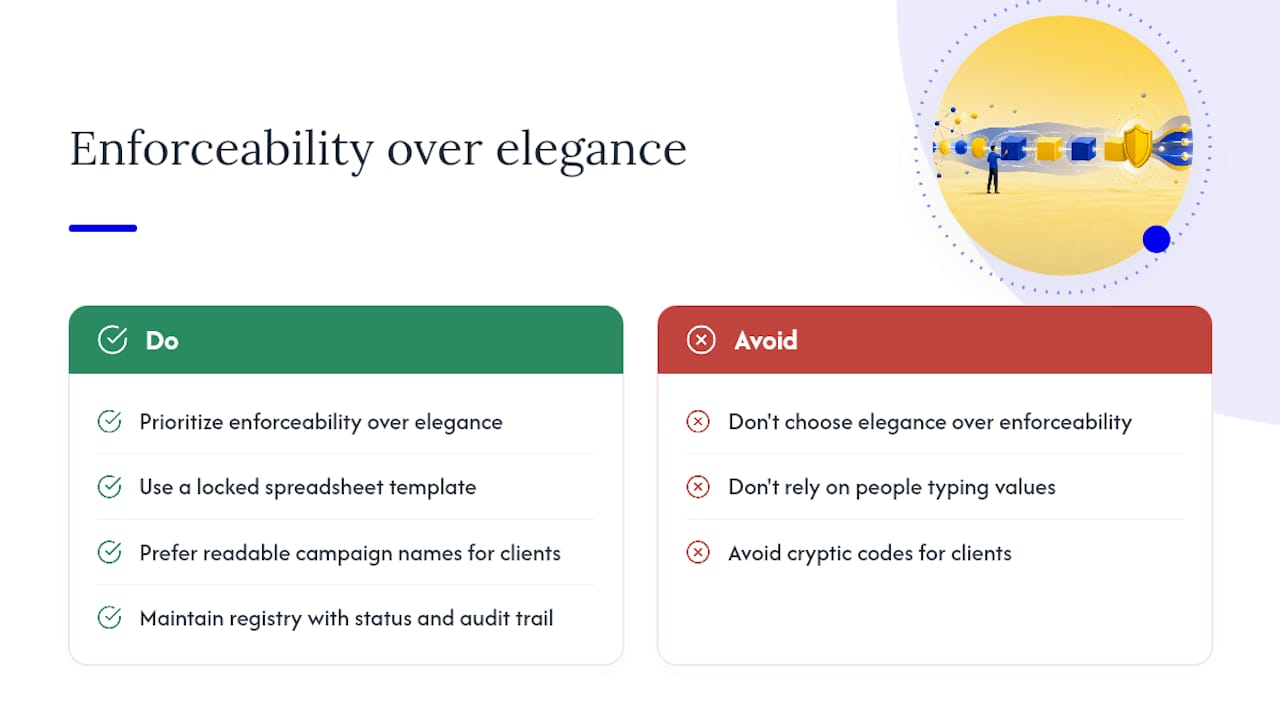
The taxonomy that works is the one your team actually follows six months after launch, not the one that looked cleanest in the planning doc. A three-segment positional model with a locked spreadsheet template outperforms a sophisticated key-value system that relies on people typing values correctly every time. Enforcement mechanisms matter more than naming elegance.
For agency teams specifically, the trade-off between readability and compactness is real. A client-readable campaign name like clientA-paid-social-facebook-spring-sale-2025-04 is long, but it means a client can read a GA4 report without a decoder ring. A cryptic equivalent like cA-ps-fb-ss-2504 is faster to type and shorter in the URL, but it creates a support burden every time someone new looks at the data. For most agency relationships, readability wins, because the cost of explaining cryptic codes to clients over time exceeds the cost of slightly longer URLs.
The other thing teams underestimate: the registry is the product. A well-maintained registry of approved values, with a status column and an audit trail, is what makes a UTM convention durable. The naming rules are just the front end. The registry is what lets you onboard a new analyst, audit a year of data, or hand off a client account without losing institutional knowledge.
Gleanit keeps your UTM taxonomy clean automatically
Manual audits catch drift after the fact. Gleanit catches it before it compounds.
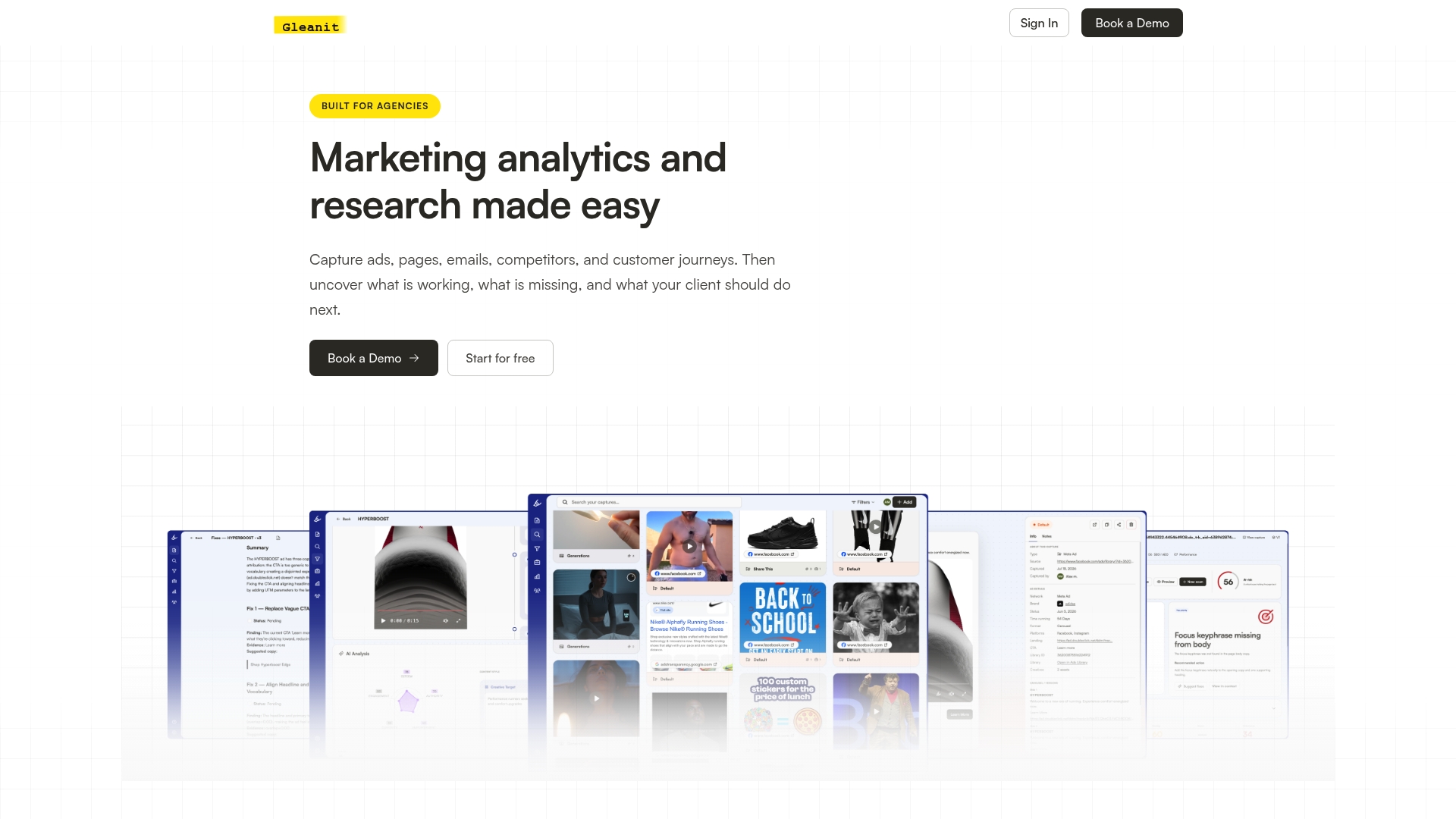
Gleanit’s automated monitoring layer connects directly to your campaign data across Meta, TikTok, Google, and LinkedIn, flagging UTM anomalies as they appear rather than waiting for a monthly audit to surface them. When a new source value appears that isn’t in your approved registry, Gleanit surfaces it as a prioritized fix, not a buried row in a Traffic Acquisition export. The platform’s funnel gap diagnostics also identify where misattributed sessions are distorting your ROAS calculations, so you’re not making budget decisions on fragmented data.
For agencies managing multiple client workspaces, Gleanit’s client-dedicated environments keep each client’s tagging registry and monitoring alerts separate, with AI-powered report generation that pulls clean, attributed data into client-ready documents automatically. Start a free trial at Gleanit and run your first automated UTM audit in under ten minutes.
Sources
These are the primary references behind this guide, covering official documentation, practitioner checklists, and builder tools.
- Campaign and campaign-source parameters - Google Analytics Help
- The 2026 UTM Tagging Guide: A Complete, Dated Reference for Marketing Teams - Terminus Blog
Recommended
Corrections: ovannes@hearye.co or our editorial policy.